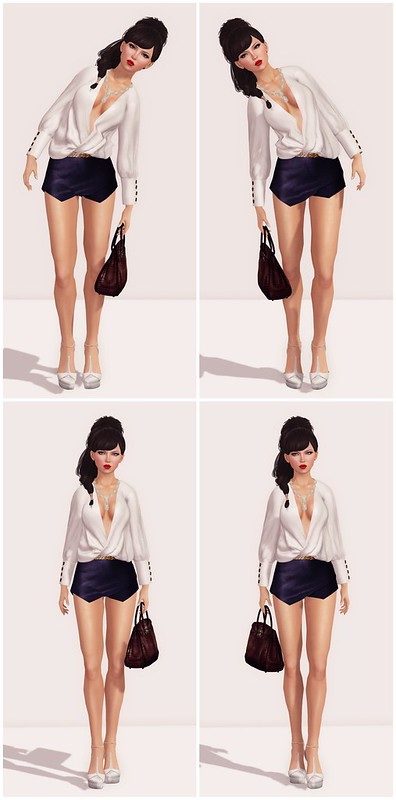
This is How to make poses in Second Life, part 2! I will show you guys a super easy way to mirror poses in DAZ Studio (version 4.6). Big thanks to Melanie, who showed me how to do this last year!
How to Mirror Poses in Daz Studio
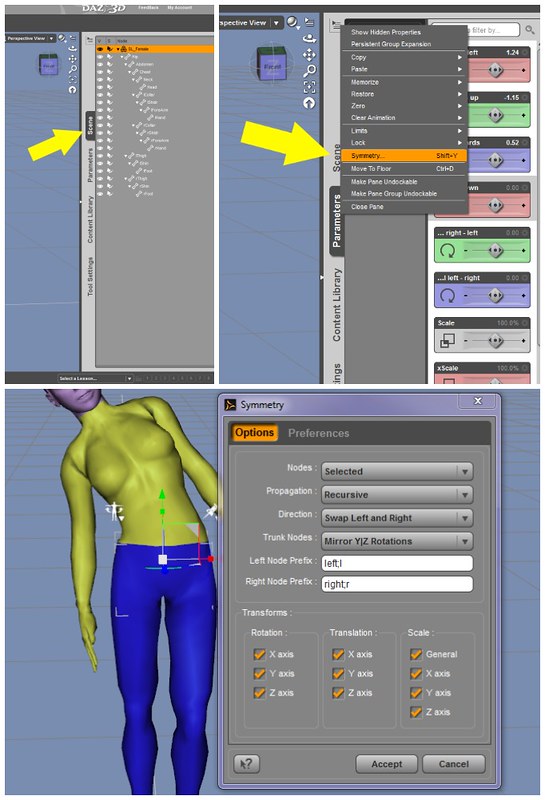
1. Select the figure in the Scene Tab.
(You can also select the figure simply by clicking on the SL avatar in the main window. I usually click on the Pelvis to select.)
2. Click on the ‘Active Tab’ options button on the Parameters Tab. This button is in the upper right corner of the tab.
In the menu that appears, choose “Symmetry.”
In the Symmetry Dialogue Menu, choose the following settings:
Nodes: Selected
Propagation: Recursive
Direction: Swap Left and Right
Trunk Nodes: Mirror Y|Z Rotations
Left Node: left;l
Right Node: right;r
Transforms: Rotation: check x, y, z
Translation: Check x, y, z
Scale: Check all
I have more decor rezzed outside of my Linden Home than inside. I enjoy the sea view and I love virtual fresh air. The Aicha Garden Pod from Cheeky Pea is so cozy and cute, I used what’s left of my prims (or land impact) allowance to make a cozy garden corner. The Aicha Garden Pod includes a HUD to change wood, seat, and pillows colors.
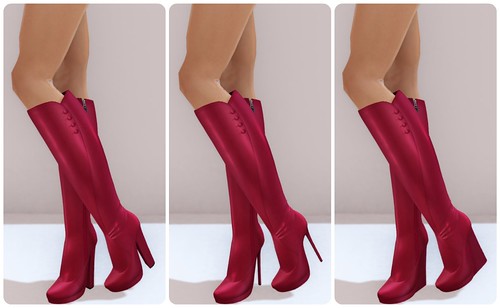
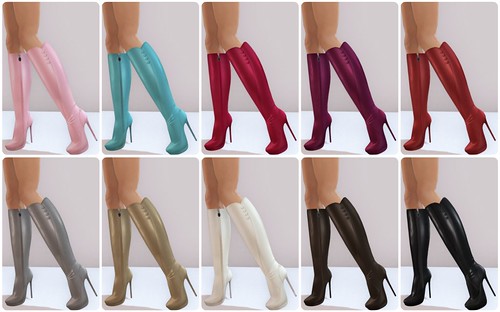
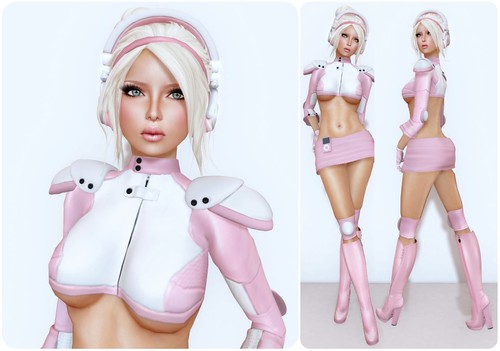
Gos Curvaceous Boots – All 10 colors available (shown above)
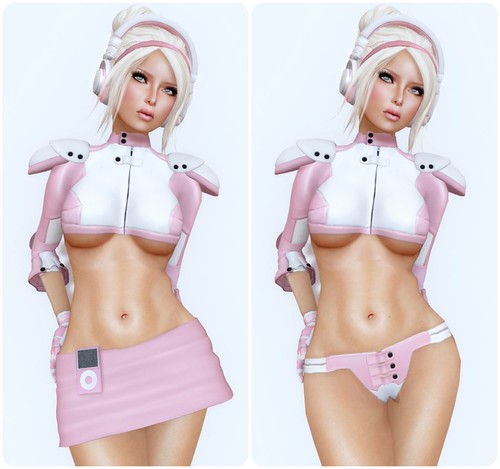
I’m thrilled the Pink color matches this (very old) Aria51 Outfit from TheAbyss perfectly. I’ve had this outfit for 2 years and 3 months now, and today, for the first time ever, I’ve just noticed that it has a THONG!
I couldn't resist these smoking hot new Claudia skins from Laqroki! These skins have such a beautiful face, I'll go Brunette for awhile to wear it. Each makeup includes a regular skin and one with a bald base. The Claudia fatpacks includes 8 makeups and is only $1,990L, what an amazing deal.
I’ve been enjoying creating my own simple backgrounds for blog photos. I am particularly obsessed with the new Mae wall panels from Apple Fall. However, if Apple Fall is reading this, I wish they would consider revisiting the Bramble Panel and create a HUD for it. To make the background even cuter, I added some Wildflower Garlands from Dust Bunny.
Anthology has just opened for another round! I am thrilled about this Bruna purse from Alma. It is modifiable, which allows me to tint the bag in any colors I desire! Additionally, it comes with a nice selection of colors through the HUD. I was particularly excited to tint the gold hardware a little darker to match the gold hearts on my top. This top is the Mia top from Aurica, also available at the event. I truly appreciate items that are modifiable, as it enables me to create a cohesive look. I do not understand the rationale behind “no mod,” but I assume it is because brands believe they can sell more colors or want to maintain control over their aesthetics. Personally, I prefer softer colors, so I value the ability to tint items slightly. Furthermore, it has become quite challenging to match colors now that PBR lighting is the standard. Being able to adjust this little bit of gold on the purse made it work perfectly for me.
DID YOU KNOW? On Flickr, you can tag people or add tags to anyone’s photos. If I have featured your brand, please feel free to tag yourself in my photos! I do not mind at all. Sometimes, I struggle to locate a brand on Flickr.
I remember when Hair Fair was the event to look forward to every summer in Second Life. These days, with shopping events happening every month, it doesn’t quite have the same sense of anticipation. Back then, by the time Hair Fair rolled around, everyone was absolutely starving for new hairstyles.
You can join the Hair Fair Demo Group (secondlife:///app/group/2e30d166-f3e5-e2de-ff72-b3da2d06ded2/about) and have all the demos delivered to you, but I actually prefer walking the event and visiting each store. I like browsing the booths, collecting demos manually, and discovering the gifts along the way. One thing I also appreciate is being able to see exactly how much each hairstyle is donating. Every participating hair contributes a percentage to the charity, but some creators go even further and donate 50% or even 100% of their sales.
There are a lot of charity events in Second Life throughout the year, and I think it’s wonderful when communities come together to support a good cause. At the same time, I think residents should pay attention to where their donations are going and how transparent an event is about its fundraising. That’s one of the reasons I’ve always appreciated Hair Fair. The event’s relationship with Wigs for Kids is publicly acknowledged by the charity itself, and every year Hair Fair posts the donation receipt and thank-you letter after the event concludes. I like that level of transparency. It allows residents and designers alike to see the impact their generosity is making, and you can feel confident that your shopping is supporting a real-world cause.
Kuni – Manu
Exile – Never the Same
I was excited to see some of my favorite brands participating this year, including Truth, Kuni, and Exile. It was also interesting to see Truth represented solely by hairstyles and accessories created by Litterbug. I noticed fellow Truth Collective creator Wasabi at the event as well. One thing I like about collaborations such as Truth Collective is that the individual creators are acknowledged for their work. There are plenty of brands in Second Life that describe themselves as a team, but you never really know who created what. I like following creators and recognizing their individual styles, even when they’re creating under a larger brand.
I also can’t leave Hair Fair without mentioning the Bandana Booth. I picked up this adorable bandana by Alaskametro, and there are several other prints available as well. Pretty much everything Alaskametro makes is beautifully textured. If you’ve followed my blog for any length of time, you already know I’m a fan.
Alaskametro – “Bling” Bandana for Hair Fair
Another new addition this year is Linden Lab’s contribution to the fundraiser. Residents can purchase three exclusive last names: Style, Strand, and Salon, with proceeds benefiting the charity. If I wasn’t already having an identity crisis with my avatar, I’d probably be changing my last name to Style immediately.
Linden Lab will also be auctioning off Premium Lifetime memberships during the event, with more details coming soon. If you’re someone who gets a lot of value from Premium benefits and plans to stick around Second Life for the long haul, it’s definitely worth keeping an eye on.
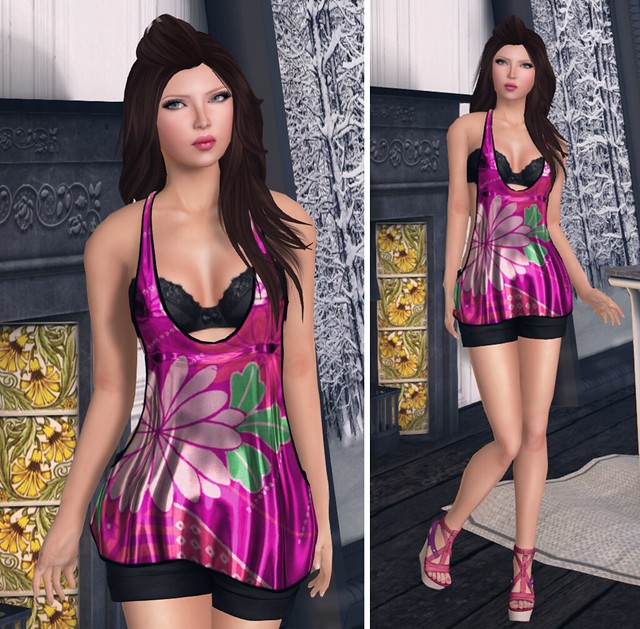
The September cycle of faMESHed is here! I’m posing in the Blob Room Display from Apple Fall – it comes with furniture & decor, and is rezzable as one soft-linked object that can be moved around. This room is adorable! I’ve been too lazy to arrange furniture, so when things are soft-linked, I love.
Exile also has this Ready To Go hairstyle out at faMESHed, be sure to get it! There are two new color packs – Natural Fusion, and Wild Fusion. The colors are fantastic, and so vibrant!
What I’m Wearing:
Pink Fuel – Kumi (Peach) Pure (bwnbrow/crease)
Pink Fuel – Lip Glaze (Salisa)
Exile – Ready To Go (Swiss)
R2 – Color Tunktop Mini One Piece (XS) Pink
Armidi/Intimizzio – Silk Wish Braziere (Black)
Mon Tissu – Hanalei Shorts (S) Black
Celoe – Aelia Wedges (Ripple)
&
Apple Fall – Blob Room Display (@ faMESHed)
Qavimator (another pose making tool) has a mirror toggle in the menu. Been tempted to make some poses myself. Just did one, the upper torso and one of the legs turned out okay but the other leg made me lean funny.
I love your tutorial – thanks to you I am starting to learn to make poses in Daz. But I have a question – I have issues with some of my poses making me float off the ground. Have you had this issue before? I tried in Daz to use Ctrl-D which brings my figure to the floor, however upon loading the pose in SL, I still float. Is this due to mesh feet/shoes and so on? Is there any fix? Any tips would be appreciated!




Qavimator (another pose making tool) has a mirror toggle in the menu. Been tempted to make some poses myself. Just did one, the upper torso and one of the legs turned out okay but the other leg made me lean funny.
Very cool, I wish I had the patience, you should definitely package them up and throw them on MP though, I’ll buy them!
Love your tutorial so easy to follow, please keep going
ty
I love your tutorial – thanks to you I am starting to learn to make poses in Daz. But I have a question – I have issues with some of my poses making me float off the ground. Have you had this issue before? I tried in Daz to use Ctrl-D which brings my figure to the floor, however upon loading the pose in SL, I still float. Is this due to mesh feet/shoes and so on? Is there any fix? Any tips would be appreciated!