/

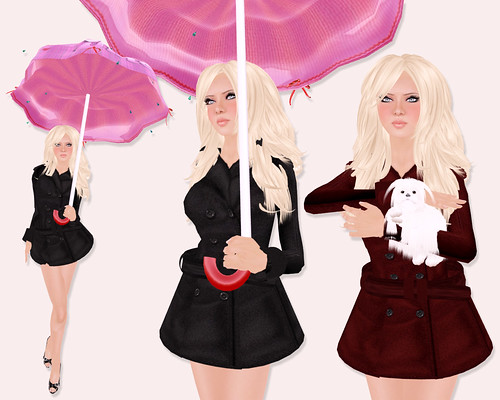
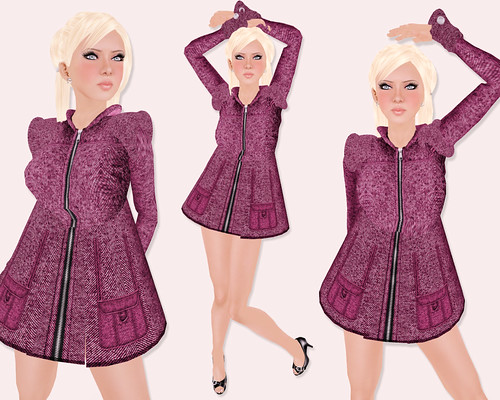
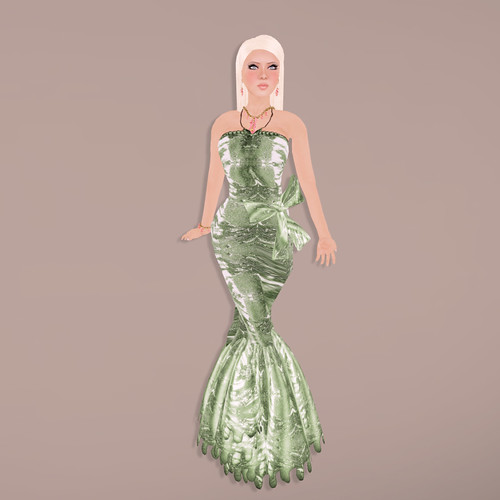
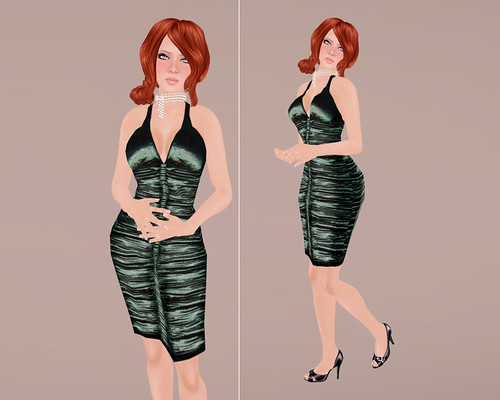
Kira Ahn Fall 2008 Collection

Similar Posts

  • |

    Donna Flora @ Accessory Fair 2010

    Guys, read this! If you’ve ever wanted to make a girl BEYOND HAPPY, send her Donna Flora jewels, and lots of it. I’m kind of hard to shop for since I already have most Donna Flora items, but if I didn’t already, these would be at the top of my wishlist.

    Besides the fact that they’re gorgeous and affordable, all Donna Flora jewelry sets are no copy/trans. You don’t have to wait for a gift vendor, just buy it and box it up, and give it yourself 🙂

    Donna Flora

    Donna Flora – Emmanuelle | Ester | Ethel

    Donna Flora

    Donna Flora – Pink Spring | SunFlower | Victoria

    Donna Flora

    Visit Donna Flora @ Accessory Fair 2010 or Donna Flora Main Store

  • |

    LeLutka Ife Skin & LeeZu Aimee

    LeLutka - Ife

    Guess what!!!! LeLutka is releasing this Ife skin soon (but not soon enough!) and I’m COMPLETELY and utterly IN LOVE.

    I typically don’t like to show previews too early in advance because being a tease is not nice, but I’m going to indulge in wearing the skin a bit early cos it’s like “my skin”, since I’ve been wearing Minnu’s skins forever.

    LeLutka - Ife

    I am wearing Ife with dark brows, but it also comes in light brows too. The face is so gorgeous and less shiny than the previous Eclat and Estelle. Oh and the lips are fuller and sexier. I honestly think this skin is soft and pretty, and will look suit many different shapes.

    By the way, if you’re looking for a LeLutka fix right now, visit the hair shop for new hairstyles!! I’m wearing the new Lea hairstyle in ‘Overcooked’ Brown texture.

    LeeZu

    I love this gorgeous LeeZu Aimee gown, which also includes the matching Aimee hat. This would make a great bridal gown or for a fancy party. The skirt of the gown is sculpted, but it’s not one big sculpted prim — it’s actually two leg prims so when you move , the prim moves along with your AO. It’s a clever idea, and like it a lot more than wearing just a single sculpted skirt prim.

    Here’s a close-up of the gorgeous sculpted flowers that adorns the gown:

    LeeZu

  • The Dinner Party

    MudHoney Designs has just released the classy & elegant ‘Holiday Dinner Table’ set which includes everything seen in the picture below. There are 4 chairs with  built-in eating & sitting animations for male and female, the beautiful dinner table, and all dining accessories and table decor.

    I thought it would be fun to invite my friends over to try out the table, so we had an impromptu dinner party! 🙂

    Meet the dinner guests: Carson, Melanie, Kavar, and me!

    *note: this set did not come with utensils or food so we’re just uh, pretending to eat!

    **note: this picture has nothing to do with the dinette set, I just like a man in a suit.

    Visit MudHoney for all your holiday decor needs!

  • | | |

    How to Install DLSS 5 in Second Life

    How to Install DLSS 5 in Second Life

    Previously, I shared my first DLSS 5 photo and promised I’d return with the full process, comparison photos, and everything I learned while getting it working in Second Life. What I expected to be a quick installation turned into a much deeper dive, but after plenty of reinstalling, troubleshooting, and comparing files, I finally found a setup that works for me.

    DLSS stands for Deep Learning Super Sampling, an NVIDIA technology that uses AI to improve graphics. DLSS 5 goes beyond simply sharpening or upscaling the image by enhancing lighting, textures, materials, shadows, and small details in real time. The result still looks unmistakably like Second Life to me, only more polished and realistic.

    The process may seem confusing at first, but once you have the correct files, installing it on another viewer should take about five minutes.

    TL;DR: The Short Version

    If you don’t want to read this entire post, here’s the condensed version:

    1. Make a separate copy of Firestorm.
    2. Download DLSS 5 Swapper v2.2.7 from GitHub.
    3. Add Firestorm-Releasex64.exe, or the executable for your preferred viewer, and select OpenGL, ReShade (default) and DLSS5-Feeder (No DLSS / Incompatible DLSS).
    4. Let DLSS 5 Swapper install the required files.
    5. Replace the renodx-dlss5.addon64 with the older file posted by Krish as v4.55 in the official RenoDX Discord. It appears as approximately 1.61 MB in Windows or 1.62 MB in Discord.
    6. Launch Firestorm and check ReShade’s Add-ons tab for DLSS 5 Feed 0.15.1 and DLSS 5 Neural Rendering.
    7. Press F6 to turn neural rendering on or off.

    If the optional Swapper controls say NOT CONNECTED, DLSS 5 may still be working.

    The Videos That Helped Me Find the Answer

    FlutterWonder’s DLSS 5 video led me to the solution. I reached out in Second Life and learned that the older renodx-dlss5.addon64 file was the missing piece. Thank you, Flutter!

    I also found Athena Felicci’s DLSS 5 video. Athena has a Discord with instructions for another method. I haven’t tried it, but it appears to work for other residents.

    How to Install DLSS 5 in Second Life

    How to Install DLSS 5 in Second Life

    Step 1: Make a Separate Firestorm Installation

    Copy your Firestorm folder and give the copy a different name. This lets you install ReShade, replace files and troubleshoot without risking your main viewer. Once everything works, keep a backup of the entire folder because newer experimental files may not work as well with Second Life.

    Step 2: Add Firestorm to DLSS 5 Swapper

    Open DLSS 5 Swapper, add a new game or installation, and select Firestorm-Releasex64.exe from the copied Firestorm folder. Be sure you modify and launch the same installation.

    Use these settings:

    • Rendering API: OpenGL
    • Rendering backend: ReShade (default)
    • Installation route: DLSS5-Feeder (No DLSS / Incompatible DLSS)

    Let the installation finish, then check the Firestorm folder for reshade-shaders and the required .addon64 files.

    Step 3: Replace the RenoDX File With the Working Version

    Join the official RenoDX Discord, open the #dlss5 channel, and check the Pinned Messages for the renodx-dlss5.addon64 file posted by Krish as v4.55. Discord displays the file as approximately 1.62 MB, while Windows displays it as approximately 1.61 MB.

    Close Firestorm, open its installation folder, and overwrite the existing renodx-dlss5.addon64 with the older working version.

    Step 4: Launch Firestorm and Check the ReShade Add-ons

    Launch the Firestorm installation you modified, open ReShade with the Home key, and select Add-ons. My installation shows:

    1. DLSS 5 Feed 0.15.1
    2. DLSS 5 Swapper Overlay
    3. DLSS 5 Neural Rendering

    DLSS 5 Feed and DLSS 5 Neural Rendering are the important ones. DLSS 5 Swapper Overlay is optional, so its absence doesn’t mean the installation failed.

    My ReShade Tips

    The default ReShade controls can be annoying in Second Life, so these small changes make the setup much easier to use.

    • Change the ReShade overlay shortcut under Settings if you don’t want to use Home. I use the ~ key.
    • Set Settings > General > Input Processing to Pass on all input so you can control Second Life while ReShade is open.
    • Drag the top of the ReShade panel to move it anywhere on the screen.
    • Press F6 to toggle DLSS 5 neural rendering on or off.

    Important Notes Before You Try This

    • This is an unofficial and experimental method.
    • Use DLSS 5 in short bursts for photos or testing instead of leaving it running all day. My viewer eventually felt slower, and my graphics driver crashed.
    • I tested this on Windows with an NVIDIA GeForce RTX 3090 Ti, not on a Mac.
    • Other graphics cards, drivers and viewers may produce different results.
    • Back up your viewer folder and working RenoDX file.
    • Download executable add-ons carefully and only from sources you trust.

    If you try it, let me know which viewer and graphics card you used and whether the older RenoDX file worked for you. This setup is changing quickly, so something that works today may behave differently after a future update.

    Need Help with Installing DLSS 5 to Second Life Viewer?

    Join the Second Life Cafe Discord, dlss5 channel if you need more help: https://discord.gg/cdKVGHmYjq. I will answer all of your questions there!

    How to Install DLSS 5 in Second Life
    How to Install DLSS 5 in Second Life
    How to Install DLSS 5 in Second Life

  • |

    Le Fleur Baroque

    I’m watching The Tudors again, so my obsession with gowns and all things frilly are back!

    Nicky Ree released this Le Fleur Baroque gown last weekend and it’s fantastic. Someone once asked, how many gowns do you actually need Gogo? WELLLL.. the answer is a lot! I need all of them. I love gowns, LOVE LOVE LOVE LOVE LOVE. Even if I have one in nearly every color, I can’t help but look everytime Nicky Ree releases new stuff. YAY for gowns!!

    And yay The Tudors!!

    And can someone please point me to a men’s store that sells suits that would compliment period gowns?

    Other stuff I’m wearing: Illusions – Smokey veil | Cake – Swoon hair | Muse – The Dauphine jewelry set

  • | | | | | | | | | | |

    Bakes On Mesh

    Bakes On Mesh

    Didn’t I warn that Bakes On Mesh was coming? I did. I said this was going to force mesh head makers to revert their UV maps back to standard SLUV, too, because everyone is going to start using standard skins more and more now. If you are a mesh head developer and your heads don’t adhere to standard SLUV, get on it. You will lose money eventually because customers are going to want to wear whatever skin they want with whatever head they buy.

    So, what the hell is Bakes On Mesh?

    Bakes on Mesh (yes, plural, according to this SL wiki page) is a new feature in Second Life that automatically “bakes” your standard skins and tattoo layers to your mesh bodies and heads. Whenever you switch skins or wear different layers of tattoos on your body, your mesh will automatically update your look without you having to do anything.

    Over time, there will be less and less dependency on applier routers like Omega, because now Second Life’s system is the applier. However, you’ll want to check with your mesh body maker to be sure their body is BoM ready. If it isn’t, they should be updating soon.

    Only certain SL clients can render Bakes On Mesh, too. If you want to be absolutely sure you can see the new feature, head over here to download the official Second Life client.

    Read More “Bakes On Mesh”

2 Comments

  1. Hi, can you tell where did you get this shape, I searched through all shops, but didn’t find nothing similar to my real face..but this is exactly what I need @.@

Leave a Reply

Your email address will not be published. Required fields are marked *