KA Designs has just released the Charlize skins!! There are 8 makeups in the Charlize fatpack per skin tone, one of them is the ultra fresh "No Makeup" version. Each makeup now includes light or dark eyebrows and with or without hair base. I'm wearing the Charlize in Pale skin tone with light brows for this entry.
I've made a shape specifically for the Charlize skins (and I'm also wearing it in this blog entry), if you like the look, it can be purchased at my main store on Juicy or at my KA Designs satellite shop.
Shoe Fair 2011 starts today, May 14th and runs through May 27th. I’ve been going to shoe fair every year, some years with more enthusiasm than others. From what I’ve seen so far, the build is amazing and also, the shoes are the best they’ve ever been. I’m so happy some brands have totally new styles available exclusively at the fair.
Bloggers were given early access to the fair to check out the build & shop, so I tried to snap a couple of pictures of the build. Isn’t it stunning? This is my favorite shoe fair build, it’s so posh and clean.
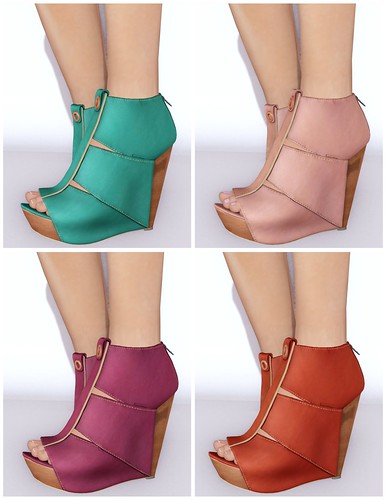
These new LeLutka K.I.A shoes are so swoonalicious!!!!! These are the first LeLutka shoes with feet, although it is not entirely uncovered, I think this is a sign that LeLutka may have some more styles in the future that comes with sculpted feet. The textures & sculpts on these shoes are realistic and beautiful, and also comes with an easy to use HUD to tint skin texture and change toe nail colors.
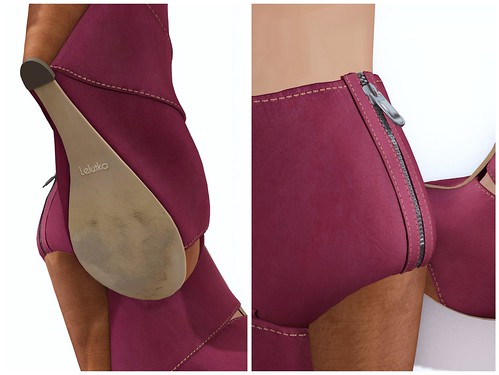
I really appreciate the lil’ details like the slightly worn soles, nice zippers & sitching. A lot of people may never notice some of these this details, but I did and I love LeLutka so much for doing it.
My look is inspired by Pocky! I borrowed the look from Miss Shibuya Sugar (or more well-known as Iris Ophelia), I hope she doesn’t mind sharing some of her Pocky with me. They were $25L and they look exactly like the real Pocky, only it didn’t come with a Pocky box! 🙁
As most people who read the news know by now, the Linden Endowment for the Arts is closing. LEA provided a space for many artists in Second Life to express themselves. For them to shutter is something truly sad, but I’m also happy to note there’s an effort to begin again–a LEA 2.0, possibly! A group in-world has formed pooling suggestions on how to change the arts program so that it lasts longer this time. I’m so happy to hear of this!
As someone who’s gone through a serious roller coaster with the last LEA council, I’ve seen the uglier side of their machinations. Hazing, bullying, and power struggles are what I experienced and saw in the short time I’ve sat on their roster. After quitting, I wrote up my experiences here on this blog. It was met with both praise and criticism, but you know what? I spoke my truth in an earnest effort to bring about change, and there’s no way I would ever let anyone invalidate my experience. And as we all know, it’s the truth that will set you free in the end.
So what’s the one simple trick I think that can save the Linden Endowment for the Arts? It’s one I’ve suggested all along.
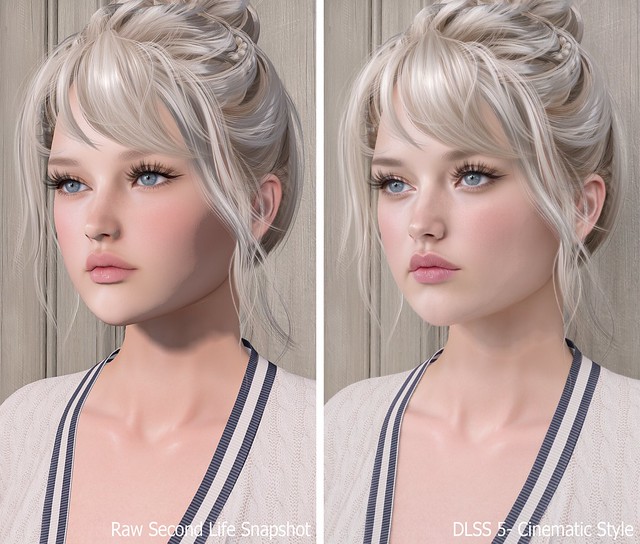
Previously, I shared my first DLSS 5 photo and promised I’d return with the full process, comparison photos, and everything I learned while getting it working in Second Life. What I expected to be a quick installation turned into a much deeper dive, but after plenty of reinstalling, troubleshooting, and comparing files, I finally found a setup that works for me.
DLSS stands for Deep Learning Super Sampling, an NVIDIA technology that uses AI to improve graphics. DLSS 5 goes beyond simply sharpening or upscaling the image by enhancing lighting, textures, materials, shadows, and small details in real time. The result still looks unmistakably like Second Life to me, only more polished and realistic.
The process may seem confusing at first, but once you have the correct files, installing it on another viewer should take about five minutes.
TL;DR: The Short Version
If you don’t want to read this entire post, here’s the condensed version:
Add Firestorm-Releasex64.exe, or the executable for your preferred viewer, and select OpenGL, ReShade (default) and DLSS5-Feeder (No DLSS / Incompatible DLSS).
Let DLSS 5 Swapper install the required files.
Replace the renodx-dlss5.addon64 with the older file posted by Krish as v4.55 in the official RenoDX Discord. It appears as approximately 1.61 MB in Windows or 1.62 MB in Discord.
Launch Firestorm and check ReShade’s Add-ons tab for DLSS 5 Feed 0.15.1 and DLSS 5 Neural Rendering.
Press F6 to turn neural rendering on or off.
If the optional Swapper controls say NOT CONNECTED, DLSS 5 may still be working.
The Videos That Helped Me Find the Answer
FlutterWonder’s DLSS 5 video led me to the solution. I reached out in Second Life and learned that the older renodx-dlss5.addon64 file was the missing piece. Thank you, Flutter!
I also found Athena Felicci’s DLSS 5 video. Athena has a Discord with instructions for another method. I haven’t tried it, but it appears to work for other residents.
How to Install DLSS 5 in Second Life
Step 1: Make a Separate Firestorm Installation
Copy your Firestorm folder and give the copy a different name. This lets you install ReShade, replace files and troubleshoot without risking your main viewer. Once everything works, keep a backup of the entire folder because newer experimental files may not work as well with Second Life.
Step 2: Add Firestorm to DLSS 5 Swapper
Open DLSS 5 Swapper, add a new game or installation, and select Firestorm-Releasex64.exe from the copied Firestorm folder. Be sure you modify and launch the same installation.
Use these settings:
Rendering API: OpenGL
Rendering backend: ReShade (default)
Installation route: DLSS5-Feeder (No DLSS / Incompatible DLSS)
Let the installation finish, then check the Firestorm folder for reshade-shaders and the required .addon64 files.
Step 3: Replace the RenoDX File With the Working Version
Join the official RenoDX Discord, open the #dlss5 channel, and check the Pinned Messages for the renodx-dlss5.addon64 file posted by Krish as v4.55. Discord displays the file as approximately 1.62 MB, while Windows displays it as approximately 1.61 MB.
Close Firestorm, open its installation folder, and overwrite the existing renodx-dlss5.addon64 with the older working version.
Step 4: Launch Firestorm and Check the ReShade Add-ons
Launch the Firestorm installation you modified, open ReShade with the Home key, and select Add-ons. My installation shows:
DLSS 5 Feed 0.15.1
DLSS 5 Swapper Overlay
DLSS 5 Neural Rendering
DLSS 5 Feed and DLSS 5 Neural Rendering are the important ones. DLSS 5 Swapper Overlay is optional, so its absence doesn’t mean the installation failed.
My ReShade Tips
The default ReShade controls can be annoying in Second Life, so these small changes make the setup much easier to use.
Change the ReShade overlay shortcut under Settings if you don’t want to use Home. I use the ~ key.
Set Settings > General > Input Processing to Pass on all input so you can control Second Life while ReShade is open.
Drag the top of the ReShade panel to move it anywhere on the screen.
Press F6 to toggle DLSS 5 neural rendering on or off.
Important Notes Before You Try This
This is an unofficial and experimental method.
Use DLSS 5 in short bursts for photos or testing instead of leaving it running all day. My viewer eventually felt slower, and my graphics driver crashed.
I tested this on Windows with an NVIDIA GeForce RTX 3090 Ti, not on a Mac.
Other graphics cards, drivers and viewers may produce different results.
Back up your viewer folder and working RenoDX file.
Download executable add-ons carefully and only from sources you trust.
If you try it, let me know which viewer and graphics card you used and whether the older RenoDX file worked for you. This setup is changing quickly, so something that works today may behave differently after a future update.
Need Help with Installing DLSS 5 to Second Life Viewer?
Join the Second Life Cafe Discord, dlss5 channel if you need more help: https://discord.gg/cdKVGHmYjq. I will answer all of your questions there!
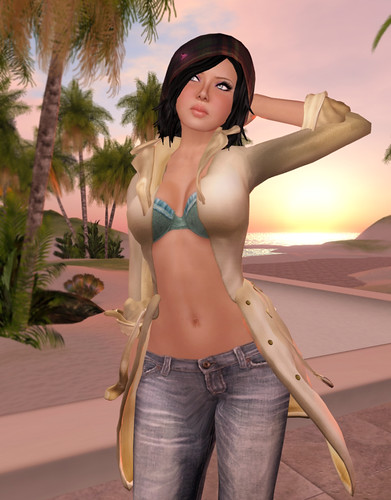
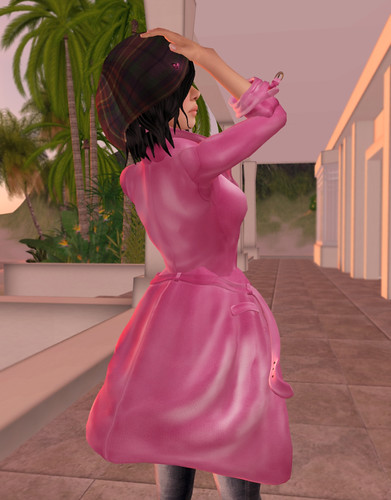
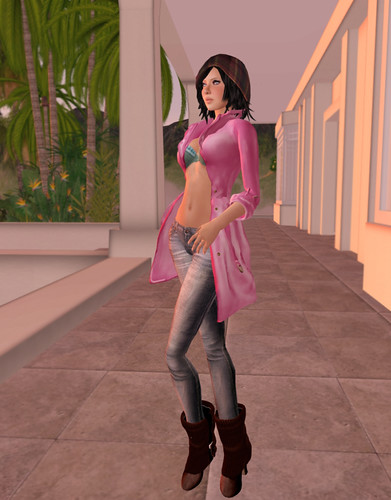
AOHARU has just released the 'Wavy Trench Coat' and it is adorable!!! I like the sculpted details on this coat and the pastel AOHARU-ish colors!! Matches everything. <3
AOHARU – Wavy Trench Coat (Gold)
AOHARU – Wavy Trench Coat (Pink) Backside
Even though I'm wearing pants here, I think this coat would be great to run around in your underwear only and a pair of cute rain boots!
What I'm Wearing:
Fuel – Tartan Beanie hair Gala – Lumine-Lavender Skin AOHARU – Wavy Trench Coat Armidi – Grace Jeans Armidi/Intimizzio – Amore di Valentino Brazier AOHARU Walk – KnightShortBoots_Brown
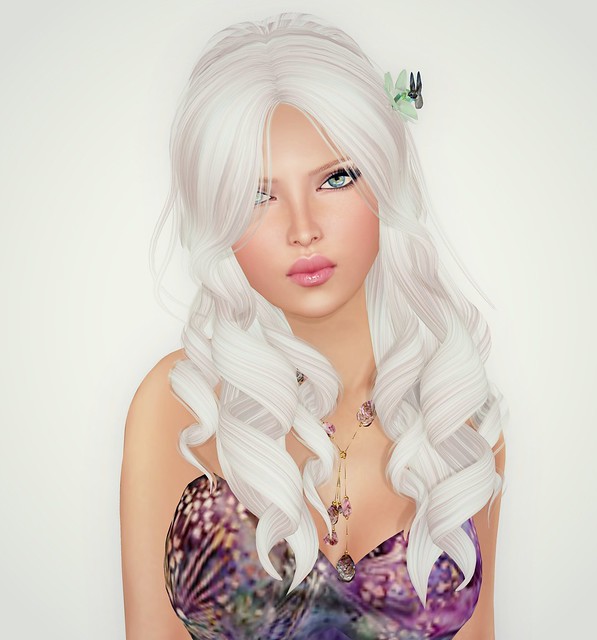
This Momo hairstyle from Wasabi Pills is adorable! I’m so happy hair designers have released curly hairstyles lately, there aren’t too many of them in mesh yet. I hope WP releases another style with a side part, and not so much hair covering the face, then it’d be perfect to show off new skins or makeups.
I like to browse the Marketplace for new things when I don’t like anything in my inventory. I found this gorgeous short mesh dress from Caverna Obscura by searching “Victorian Mesh Dress” and started browsing the store after I saw another outfit that was cute. There’s a lot of really great fantasy outfits here!! I wore this Sundress without the floral attachments to give it a more casual look. I looooooove it.
I am test driving the new interface & new layers!! After how many years of griping about not having an extra tattoo layers to wear over our skin/clothes, Linden Lab has finally created one. There’s also an ALPHA layer!! Oh, and my dear little fashionista heart is so happy there’s a WEARING tab that lists everything I’m wearing. This will making doing outfit credits SO much easier! I LOVE YOU LINDEN LAB.
This viewer will take some time to get used to, but it’s better to start getting used to it now, before they roll out the official version. I like what I’m seeing so far! <3
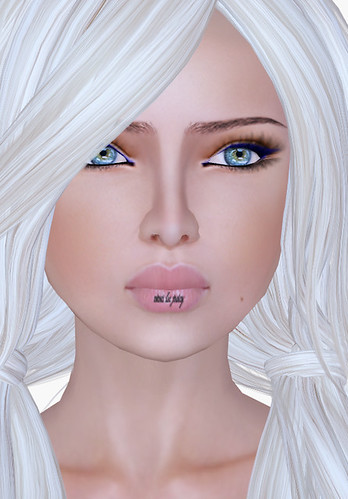
I made a ‘viva la juicy’ tattoo to test out the layer. It works awesome!! If only I could make better tattoos, lol!
In addition to tattoos, creative residents can also try adding stuff to their skins like beauty marks, extra makeup, etc. I think this will be AMAZING, I can’t wait to see what designers come up with!