What is AVIMOTE? I asked myself this same question when I stumbled upon it a few days ago. I read the list of features on XStreetSL and watched the video for it and I was SOLD!!!
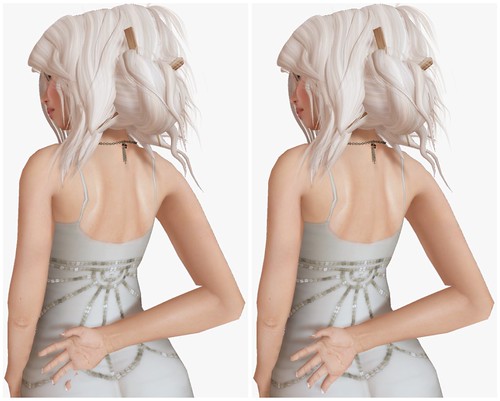
Have you ever wished you could move a pose just a bit to fit your avatar, rather than resize your avatar to fit? Yeah, that’s how I feel on a daily basis. I am always stumbling across poses that are made for avatars smaller than me, which tends to cause problems with disappearing hands or missing fingers.
See the image above – that’s me posing with one of the poses in my pose stand. Now….. here comes AVIMOTE! and voila, my hand is perfectly positioned again. It only took about 10 seconds to pull the hand forward and do a lil twist.
AVIMOTE also lets you pose yourself any way you want, but I prefer to use it make minor tweaks. Making a pose from scratch in-world is just as time consuming as it is in a poser program.
I know I sound like an AVIMOTE infomercial right now (hey, AVIOMOTE! hire me!!!) but I’m just amazed that I haven’t heard of this HUD before. Is anyone out there using this? Do you love it?
For as long as I can recall, Second Life has maintained a stance against ageplay. Now, with the introduction of a new Child Avatar policy, it seems the platform is reacting to a broader issue simmering within its virtual realms. However, there’s a sense that the policy doesn’t fully address the root of the problem.
Let’s clarify from the outset – we’re not discussing actual children here. It’s evident that the number of users under 18 in Second Life is relatively low, and the fraction that comprises actual children is even smaller. The question arises: Should Linden Lab assume responsibility for monitoring the real-life guardianship of its users’ children?
Turning back to the policy itself, personally, I’ve only created one toddler avatar in all my time in Second Life. Honestly, I don’t think Second Life is concerned about my diminutive, two feet tall avatar. The real target here appears to be avatars that blur the lines, those youthful teenage avatars clad in provocative attire and engaging in adult activities.
One might argue that simply prohibiting users under 18 from accessing Adult regions would suffice. However, the new policy, set to mandate a modesty layer on all “child avatars” by June 30, 2024, suggests otherwise. But what exactly constitutes a “child avatar”? According to American law, anyone under 18 is a child. So, if your avatar leans toward the younger side, could you find yourself in hot water?
In anticipation of these changes, I’ve begun reaching out to skin designers to inquire about updates for previously released products. Frankly, it strikes me as unnecessary for toddler/child skins to include private parts at all – they should have been excluded from the get-go. While my Bebe skin appears to be a blur with no discernible private parts, I’d feel more at ease if the designer updated it with painted-on underwear, just to be safe.
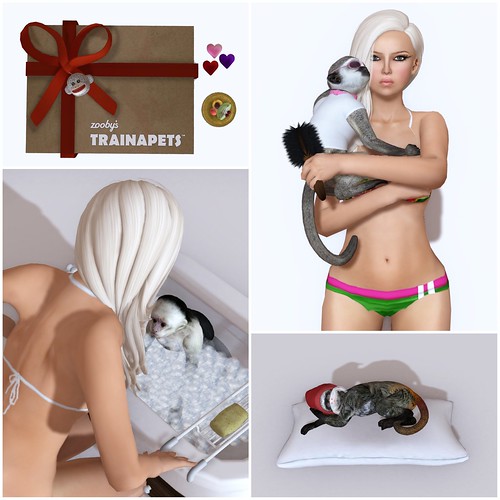
As Second Life rolls out these changes, one can’t help but wonder if they have the resources to effectively enforce them. Undoubtedly, a surge of abuse reports is on the horizon, whether valid or not. It’s clear that Second Life doesn’t wish to outright ban child avatars – family roleplay is a cornerstone of the community. From Zooby babies to pint-sized avatars, residents have been creating child avatars for years. My mini Gogo, for instance, is so cute.
So, here’s a plea to region designers: Please don’t ban “child avatars” on sight. Remember, most of us are well over 18, and child avatars are permitted on Moderate regions too. They’re only restricted from Adult regions, and if you opt to embody a child avatar, simply steer clear of those areas.
As I reflect on Second Life’s new child avatar policy, I find myself questioning its true effectiveness in ensuring children’s safety. While I appreciate the intention to create a secure environment, I can’t help but wonder about the practical implementation of the policy. Is it genuinely focused on protecting children, or is it more about managing Linden Lab’s image and legal liabilities? It’s a nuanced topic that deserves deeper exploration. If you share my curiosity or have concerns you’d like to discuss directly with Second Life, consider joining the first Community Roundtable with Second Life Leadership on May 20. It’s a chance to engage in constructive dialogue and seek clarification on any lingering doubts or questions.
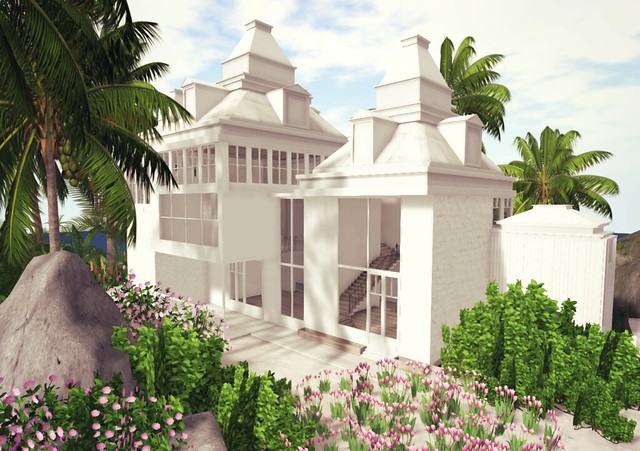
Inspired by Stars Hollow from Gilmore Girls, my friend Caroline made Little Stars Hollow and it is gorgeous! Visit the sim if you’re a fan of the show, cos it really does look like it!
I actually got dressed in this cheerful outfit before going to the sim, and to my delight, the patisserie colors matches perfectly.
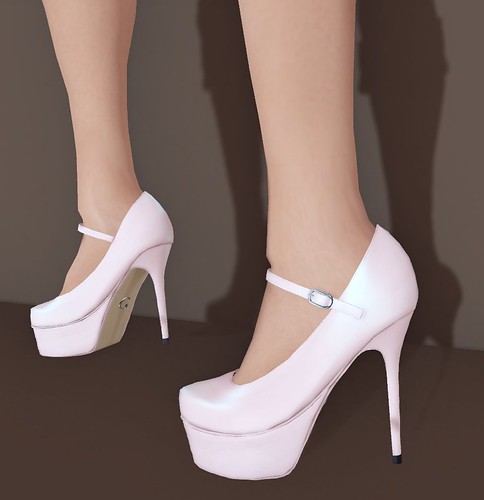
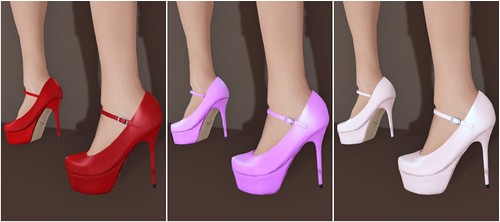
My outfit today is a mix-and-match from Teefy and Fishy Strawberry, paired with Strapped Pumps from League.
BeBae is a brand that I have been blogging since the first skin release (Anael), and every release since then has been better than the last. In case you haven't noticed, the BeBae skins are named in alphabetical order – so far we've seen Anael, Belina, Coral, Delilah, and now… there's Erin!
Erin is the latest face to be released from BeBae, the makeups are simply gorgeous. Each skin includes 2 brows (light and dark), with lashes or without, and some makeups have several different variations thrown into the package.
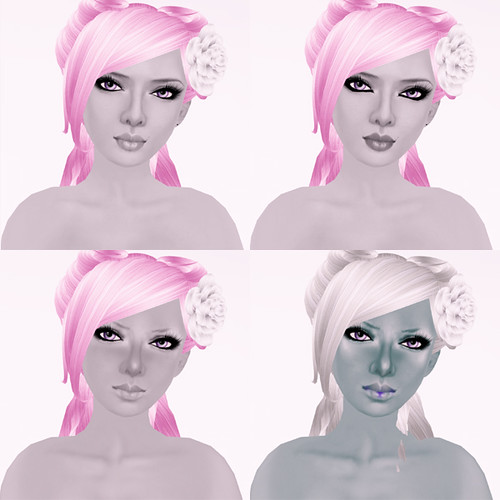
Shown below is BeBae 'Erin' in Cinna skin tone:
Here are the light and dark brows included with the Cinna skin tone. These brows are great for Blondes, Brunettes, and every hair color in between! The Caramel skin tone (not shown), is darker and includes darker brows than shown below:
What's a skin post without boobs?
This BeBae body is gorgeous, as always…
If you like my shape, I am wearing the Juicy Erin shape, made specifically for this release! I'm also wearing it in this blog entry and it's one of my favorite shapes ever. If you want my look, a style card is also included with the shape.
I have moved all of my older shapes to my main store, but you can find the Erin shape at my shop or @ BeBae.
I want to know if many people bought a lot of stuff during the Last Call sale. How many outfits do you have? (not including shoes or individual accessories)
This brand is mostly known for their skins, but they’re venturing into hair now, and they’ve launched a small collection of hairstyles this past weekend. I tried on all three new hairstyles, but settled on this long gorgeous styled called Fredja.
Each hair pack is $250L, and the fatpack is $900L. I like that there’s only one Blonde pack, so I get all 8 Blonde colors with a single purchase.
I’m usually not a fan of roots but this is the first time that I’ve seen it done very nicely and realistic in SL. Check out the roots on this Dust&Sugar texture! 🙂
Donna Flora – BACI Necklace & Earrings (this is the perfect VDay gift, and transferable) | G-Field – Heart Bag (Pink, hunt item) | G-Field – Flower Pumps “Eve” (for sale in-store)
G-Field is having a Sweet Heart Hunt (ends February 14th), you can score lots of Valentine themed goodies! Search for a teddy bear.
I love the outfit I made using a mix of free (hunt) items and some purchased items. If I went on dates in SL, this would totally be my Valentine’s day “date” outfit. It’s cute cute cute and oh-so-pink (the best color in the world)!
New AtomicBambi Sabrina skin blows me away!! The face is beautiful and the skin tone just has a warm healthy glow. AtomicSparkle Skytower is definitely a skin maker to watch! I think she does get better with every new release, and it’s pretty exciting to watch.
Each Sabrina skin tone comes with 10 makeups, 3 brows, cleavage, and freckles option.
I am wearing the AtomicBambi Sabrina skins in Sunblush tone.
I have avimote , had it for a while but the best pose maker by far is Anypose .it does what avimote does but 1000 times better .Anypose allows you to make poses in world and save them as a BVH file; or you can save the pose inside the stand or the special pose player.you can even swap poses to other Anypose stands or users, without leaving SL and uploads the same way.
with Anypose you can rez 9 posestands .Meaning you can pose 9 people all indivdually or all at once and move the stands anywhere you want,great for making group shots or sporting shots .look it up ANYPOSE.if you like Avimote you will love ANYPOSE.
Avimote rules! I have a rounder avi than most and avimote has saved me so many times with poses that don’t work with my shape. If you blog regularly I would say 3 plus times a week, it is so worth the investment.
Avimote is one of those shiny little tools I had to have, and for a while I played around with its capabilities quite a lot … now I have all but forgotten that I could use it, which may be because I don’t take pictures of moi that often, for lack of a blog or anything*. But it is a great tool for someone who routinely takes photos of their avatar, I’d say, and so for you the investment should indeed be worth it – and yess, Hair! *visits Lelutka*
*(plus, thanks to a crappy computer, I’m often unable to differentiate between something vanishing for reasons of an abysmal sculpty-LOD or a pose not fitting me perfectly … meh -.-)
The description sounds extremely nice so far, still have to watch the video and read through all the comments and discussion. So no matter what permissions and priorities apply to the animation you are running, the HUD will be able to move your limbs? Nice, very nice.
The not yet released standard version of the tool sounds even better and so does the promise that existing customers will get upgrade offers.
Very helpful find!
And Gogo, would you mind sharing your computer specs? I only found a blog post from a while ago saying that you got a new machine, but nothing more. Sorry if I missed it in search… but the detail on the pic in this post is simply amazing and I’d love to know which graphic card comes up with such a great render. Love the way the hair looks… as if you had a real moulded marble sculpture right before you. Awesome effect. 🙂
I watched now the video: I really like that you can work with this tool ingame BUT it is useless cause you cannot save your work. And that point is the argument for ‘not buying’ it.
(Maybe I understood it wrong, but comments on xstreet writing the same).
My reply is pretty late, but I do have to agree with Becster. I have been using AnyPose for about a year now, and it is the easiest, fastest, most complex yet basic pose maker/adjuster. I use it to make all of my poses, and to make adjustments to purchased poses. The latest HUD not only adjusts your premade poses, it can also let you change between multiple posestands (with other people on them) AND live action, meaning you can pose yourself OR others, without even being near a posestand. It’s VERY worth it, and free updates for life!!!
Never heard of it, but omg, LOVING!!!
and speaking of loving, that hair needs me – wheres it from?
hi Banana! it’s from Lelutka, I should blog it soon.. got distracted by shiny new HUD!
I have avimote , had it for a while but the best pose maker by far is Anypose .it does what avimote does but 1000 times better .Anypose allows you to make poses in world and save them as a BVH file; or you can save the pose inside the stand or the special pose player.you can even swap poses to other Anypose stands or users, without leaving SL and uploads the same way.
with Anypose you can rez 9 posestands .Meaning you can pose 9 people all indivdually or all at once and move the stands anywhere you want,great for making group shots or sporting shots .look it up ANYPOSE.if you like Avimote you will love ANYPOSE.
Avimote rules! I have a rounder avi than most and avimote has saved me so many times with poses that don’t work with my shape. If you blog regularly I would say 3 plus times a week, it is so worth the investment.
Hi, yeah i’ve had this for about 10 months now just after it came out. just waiting for the updates now 😛
So many awesome poses, capturing at different angles to hide those little psychic surgeries! $2,450L! I’m just that narci to still get it.
wow impressive stuff! I think I will buy this – it’ll make my pose hoarding worse but.. OH WELL! Look out posemakers, I’m comin’ for yer stuff! 😀
Avimote is one of those shiny little tools I had to have, and for a while I played around with its capabilities quite a lot … now I have all but forgotten that I could use it, which may be because I don’t take pictures of moi that often, for lack of a blog or anything*. But it is a great tool for someone who routinely takes photos of their avatar, I’d say, and so for you the investment should indeed be worth it – and yess, Hair! *visits Lelutka*
*(plus, thanks to a crappy computer, I’m often unable to differentiate between something vanishing for reasons of an abysmal sculpty-LOD or a pose not fitting me perfectly … meh -.-)
The description sounds extremely nice so far, still have to watch the video and read through all the comments and discussion. So no matter what permissions and priorities apply to the animation you are running, the HUD will be able to move your limbs? Nice, very nice.
The not yet released standard version of the tool sounds even better and so does the promise that existing customers will get upgrade offers.
Very helpful find!
And Gogo, would you mind sharing your computer specs? I only found a blog post from a while ago saying that you got a new machine, but nothing more. Sorry if I missed it in search… but the detail on the pic in this post is simply amazing and I’d love to know which graphic card comes up with such a great render. Love the way the hair looks… as if you had a real moulded marble sculpture right before you. Awesome effect. 🙂
omgah i neeeeed this!!
I can’t believe this has been out for awhile and I didn’t know about it. Definately a must have.
Thanks Gogo for sharing this.
Hi there!
I watched now the video: I really like that you can work with this tool ingame BUT it is useless cause you cannot save your work. And that point is the argument for ‘not buying’ it.
(Maybe I understood it wrong, but comments on xstreet writing the same).
My reply is pretty late, but I do have to agree with Becster. I have been using AnyPose for about a year now, and it is the easiest, fastest, most complex yet basic pose maker/adjuster. I use it to make all of my poses, and to make adjustments to purchased poses. The latest HUD not only adjusts your premade poses, it can also let you change between multiple posestands (with other people on them) AND live action, meaning you can pose yourself OR others, without even being near a posestand. It’s VERY worth it, and free updates for life!!!