Is it just me or is the grid extra crashy today? I spent this weekend upgrading my graphics card from the Nvidia GTX 260 to GTX 570. I had shadows before, and pretty stellar graphics but I guess, I wanted flawless shadows, and even better graphics? Can’t say I notice a huge difference, so I guess I’m just a sucky photographer, LOL!
I guess I’ll keep working on my in-world photography, but for now… *pulls hair out* my patience is extremely tested when I try to do photos anywhere other than on a platform in the sky.
For example, today I went to “the laggiest sim in SL” — aka LULA (Sorry Lula, you are beautiful, but people on Plurk all say you’re laggy) and within minutes of being there, someone begged for money, and also I crashed a thousand times.
So, I went to the Malt sim, to snap the pictures above.
G-Field released so many new pieces this weekend as well, I’ve been dying to try them on! I bought this Baby Pink Maxi skirt and matching PuffSleeve top — so sexy. I don’t normally wear long skirts, but this one is amazing on, and it also matches my new Sissy Crown from Donna Flora.
What I’m Wearing:
Elikatira – Me (Blonde 05)
G-Field – Puff Sleeve Top (Baby Pink/Flower)
G-Field – Maxi Skirt (Baby Pink/Flower)
G-Field – Flower Pumps “Eve” White
Donna Flora – Sissy Crown (Pink)
NODe – Umbrella_v2_NO8
Do you know about Void lashes? I’ve seen this brand gain popularity and support from various creators, so I decided to find out what it’s all about. I absolutely love the default LeLutka lashes that are attached to the mesh head, so I never felt the need for a third-party add-on. However, I woke up yesterday and decided to delve into Void lashes.
Void is created by a resident named Pure Void. Their marketplace store showcases a selection of lashes that are rigged for various popular mesh heads. I decided to get a demo of the popular Void Demure Lashes, and to do so, I had to teleport to the store. To access the store in-world, you must accept the land experience. At first, I was annoyed by this, but once I visited the store and experienced the region design and animation sequence, I was thoroughly impressed. It adds so much to the shopping experience, making you feel as though you’re stepping into the introduction of an anime movie.
I chose the Void Demure lashes because I wanted to wear them with Mila’s Obscura Eyelashes. This motivated me to learn more about Void lashes, because I love all of Mila’s lashes and wanted to wear these as well. Although the Void lashes are pricey at L$1,499, they come with a customization HUD and are rigged for numerous mesh heads. Upon opening the EvoX package, I found a version for each of LeLutka’s heads, including the latest, Camila. This indicates that Void continually provides updates, making it a worthwhile investment.
The lashes allow you to wear the top, mid, and bottom lashes or turn them off entirely. I have only seen people wear these lashes with all three options, and they often appeared somewhat droopy and busy to me. I was very glad to discover that I could turn off the mid lashes! Additionally, there’s a HUD for customizing the gems and toggling the alpha settings between blend and mask. I highly recommend using blend mode because when you set it to alpha mask mode, it can look like chunky spider legs on your face. While some may appreciate that aesthetic, it simply does not resonate with me.
Blend vs Alpha Mask mode
Overall, I believe the reason that residents are choosing to wear Void lashes is that they offer a different look compared to the lashes included with their head of choice. They can also be longer, more intense, and come in various shapes. Personally, I felt that the Void lashes gave my eyes a hint of droopiness, yet they also appear quite dramatic.
If you’re looking for something different, check out Void lashes! Even if you’re not, the store is worth a visit; it provides the best land experience I have encountered in Second Life.
A couple of days ago I posted a teaser image of the newest KA Designs Stacie skins. The skins have just been released and they were worth the wait. I’m loving this new face and the fresh glowy skin tone. Each skin tone has 10 makeups and 1 no-makeup skin, 3 different brow color choices, and hair base option.
New Truth Hair colors! I like that natural hair colors are now joined into a single pack, so you get both the light and dark colors. I’m a fan of the new Selection pack too, which has a bit of both natural hair colors and rainbow colors. It’s great to see brands constantly improving their products, so that customers can get the best deals.
New Truth Hair Color Packs – Blonde, Brunette, Redhead, Grayscale, Candy, Jewel, Multitone 1, Multitone 2, Selection
Old Truth Hair Color Packs – Light Blondes, Blondes, Light Browns, Browns, Gingers, Reds, Black&Whites, Pastels, Colours, Variety
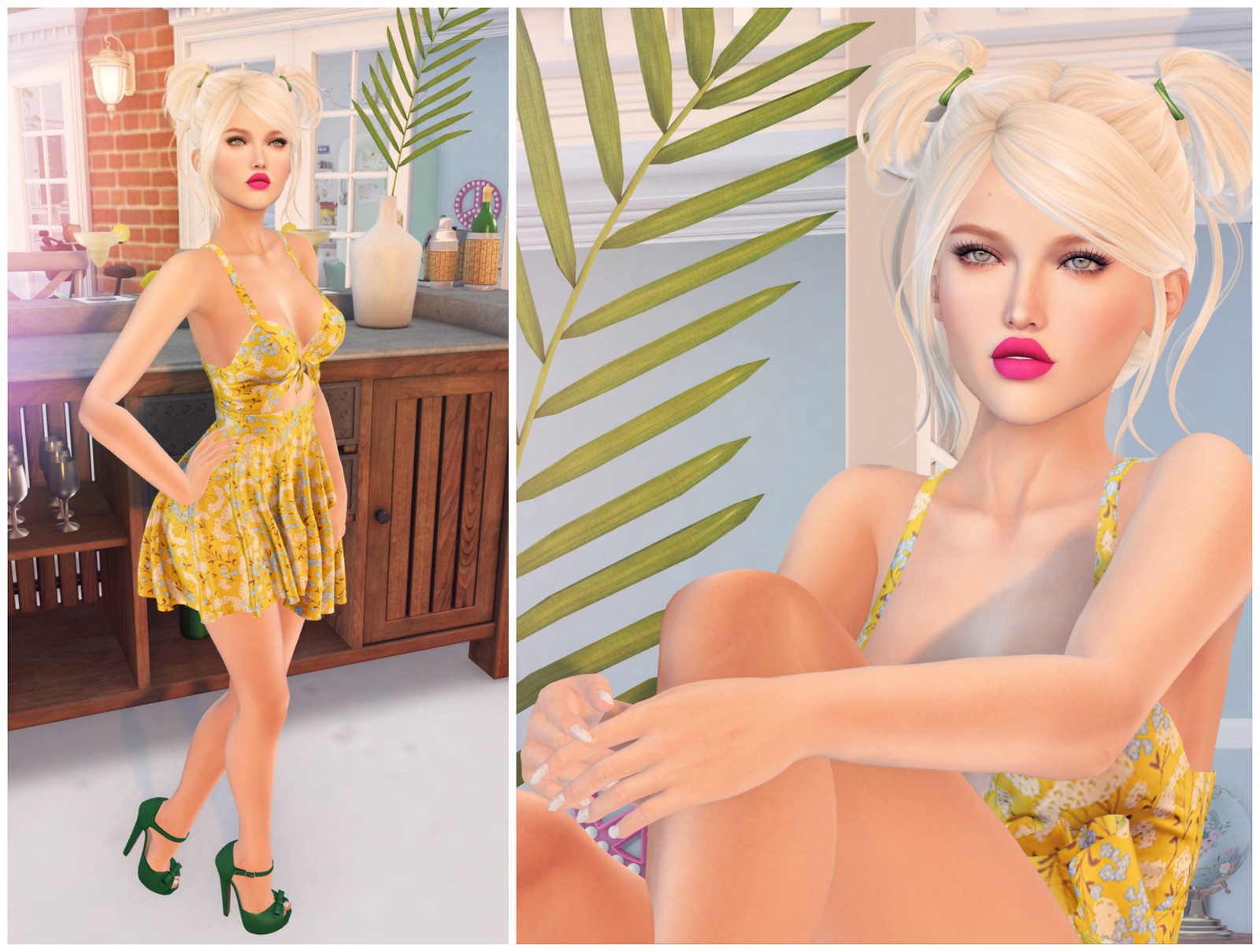
I am wearing the newest Scout hairstyle from Truth. I noticed that the newer hairstyles now include a Hair Stylist HUD to change the different options. It wasn’t difficult to change the hairstyles before, but I really appreciate this new addition, cos now I don’t have to change the hairstyle and recolor it. It’s also fun to swap between the options quickly and see their differences.
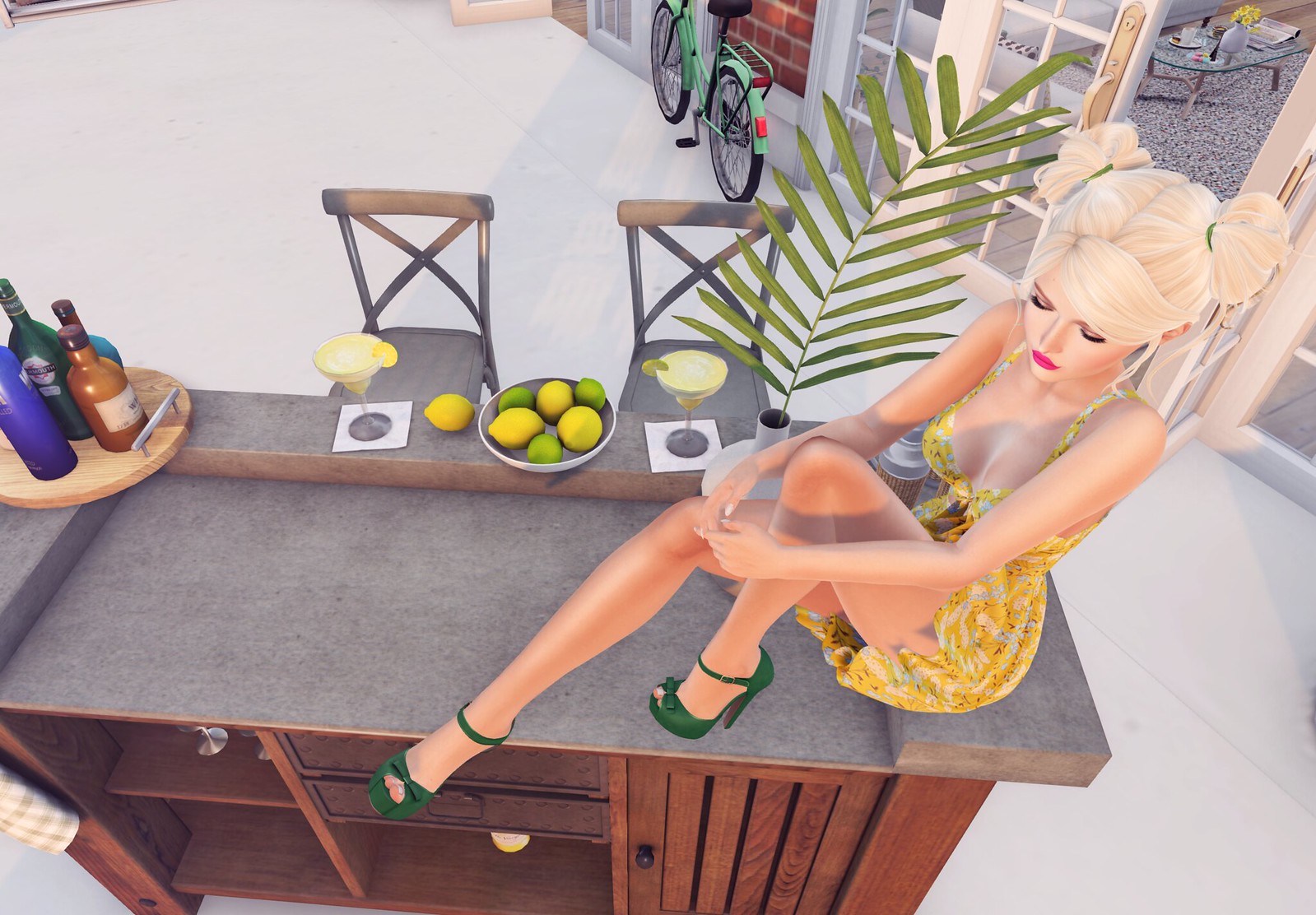
I’m sitting on the new Palisades Bar & Accessories from What Next. I love home decor with food & drinks included! I like juicy fruits the best; nothing says tropical summer goodness like lemons and limes.
What I’m Wearing:
Truth – Scout
Tres Blah – Summer Fete Dress @ The Arcade
Ingenue – Lykke Heels (Emerald) @ The Arcade
&
What Next – Palisades Bar & Accessories
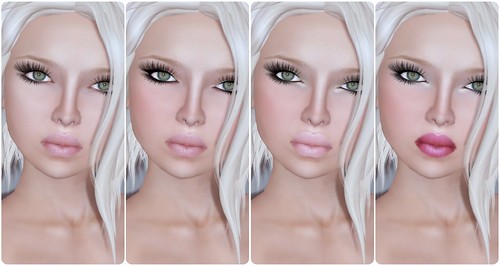
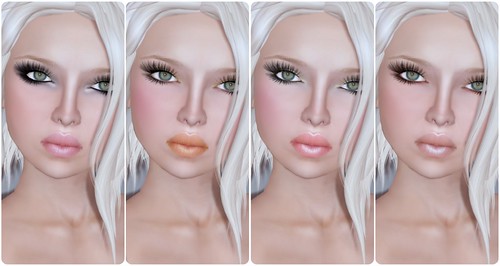
A little birdie told me that LeLutka will be releasing this new Natasha skin very soon (probably this weekend), so I know fellow skin addicts are just as excited as I am. I think this face is great, and the lips are similar to Lola, one of the most popular LeLutka faces. I personally like it a bit more than Mila, because the lips are smaller and the texture is just perfect.
The Natasha skins only comes in four skin tones (Pearl, Hush, Golden, Walnut) cos this is suppose to be a lighter skin (the base brow is light Brown). If you prefer darker brows, any of the brows tattoos released last week will work perfectly with it. Have you noticed that LeLutka has new skin tones? Older LeLutka skin tattoos will not match perfectly with these new tones — so you need to wear the right cleavage and brows tattoo for your skin.
Below are unedited pics of all 8 new Natasha makeups:
This is not really related to my skin review, but I thought I would mention a quick little Gorean Public Service Announcement by Elle Couerblanc. I’m not a fan of STICKY BOOBS. Natasha doesn’t have it, thank god. Ladies, if you must wear cleavage enhancers, make sure you’re wearing a bra or some type of ‘supporting’ garment so it doesn’t look like your boobs are stuck together in an unnatural way. Please please please read the article if you need visual examples! 🙂
I fangirl’d Asa‘s work from afar for a long, so when I had the opportunity to model for one of the Kimono pics, I immediately jumped at the chance. Everyone wore dark hair, which I probably should have, cos it looks so striking, but well, Gogo is a Blonde girl. I don’t typically model for pics cos people usually take a long time, but I was delighted when this snap (above) took 2 seconds, seriously, and the rest is PS magic 🙂
Alaskametro creates the finest BoM tattoos on the grid, in case you were unaware. I hold this brand in high regard; the seams and texturing are simply flawless. I’m not just saying that. Few can achieve the level of detail like Alaskametro does, so I was thrilled to see the release of the Doll Parts BoM tattoo, which allows you to transform your existing Second Life body into a Ball Joint doll. This concept is reminiscent of an episode of Black Mirror, where a doll comes to life or where one’s consciousness is forever trapped inside a doll.
I love the idea of evolving my avatar, which I already consider my digital doll, into an actual doll. The Doll Parts pack comes with BoM tattoos along with extra highlight layers. Despite being made with textures, it’s exceptionally well done and looks fantastic. I appreciate that I can layer this over my current skin, ensuring a seamless blend.
Have you ever dreamed of becoming a virtual doll? If so, you can get this enchanting set at Anthology.
Well you know upgrading actually can hurt you depending on ur system when playing. Newer isn’t always better in this case. Speaking as a girl who loves taking good SL photo’s…I have updated before but unfortunately I had to redo my entire system because after I updated SL was buggy slow and I wasn’t able to use shadows. It’s got an old card but I can go through sl with shadows on AND it takes steller photos…haha so who knows. They’re like people sometimes…computers…they tend to throw hissy fits!
Hey Gogo, I don’t know which viewer you’re using, but I’ve heard a *lot* of people say they use Kirsten’s Viewer for taking photos. Supposedly it’s the best for shadows. I’ve yet to actually try it myself. I use the regular 2.0 viewer and as soon as I turn on FBO and shadows my FPS drops significantly.
One thing I do that gives me better performance/graphics is to set up the nVidia control panel to override the in-world settings for anti-aliasing and anisotropic filtering.
Lula is lagtastic I always freeze up there…but I LOVE the sim, it has such a cozy athmosphere.
I heart your crown although it’s pink 😀 (G*field also send out a groupgift maxiskirt with matching puffsleevetop via subscribe-o-matic)
wow you made a great jump for gtx 570. I have a gtx 470 and i’m pretty happy, although there is many factors that help have a good performance with shadows, my internet isn’t good, then I suffer with lag a lot, specially when SL doesn’t cooperates.
and btw I loved this crown
It’s not only Lula, the body co. shop (although the sim has only like 2000 prims) lags as (unusually and unprecedented) bad as Lula. Therefor i start to suspect Emma’s sales-management-script system to be the source of this lag-inferno.







Well you know upgrading actually can hurt you depending on ur system when playing. Newer isn’t always better in this case. Speaking as a girl who loves taking good SL photo’s…I have updated before but unfortunately I had to redo my entire system because after I updated SL was buggy slow and I wasn’t able to use shadows. It’s got an old card but I can go through sl with shadows on AND it takes steller photos…haha so who knows. They’re like people sometimes…computers…they tend to throw hissy fits!
Hey Gogo, I don’t know which viewer you’re using, but I’ve heard a *lot* of people say they use Kirsten’s Viewer for taking photos. Supposedly it’s the best for shadows. I’ve yet to actually try it myself. I use the regular 2.0 viewer and as soon as I turn on FBO and shadows my FPS drops significantly.
One thing I do that gives me better performance/graphics is to set up the nVidia control panel to override the in-world settings for anti-aliasing and anisotropic filtering.
I’m using SL 2.0! When I tried Kirstens before, there was something irritating about that viewer. Plus, I can get the Pink Starlight skin on 2.0 🙂
Lula is lagtastic I always freeze up there…but I LOVE the sim, it has such a cozy athmosphere.
I heart your crown although it’s pink 😀 (G*field also send out a groupgift maxiskirt with matching puffsleevetop via subscribe-o-matic)
wow you made a great jump for gtx 570. I have a gtx 470 and i’m pretty happy, although there is many factors that help have a good performance with shadows, my internet isn’t good, then I suffer with lag a lot, specially when SL doesn’t cooperates.
and btw I loved this crown
It’s not only Lula, the body co. shop (although the sim has only like 2000 prims) lags as (unusually and unprecedented) bad as Lula. Therefor i start to suspect Emma’s sales-management-script system to be the source of this lag-inferno.