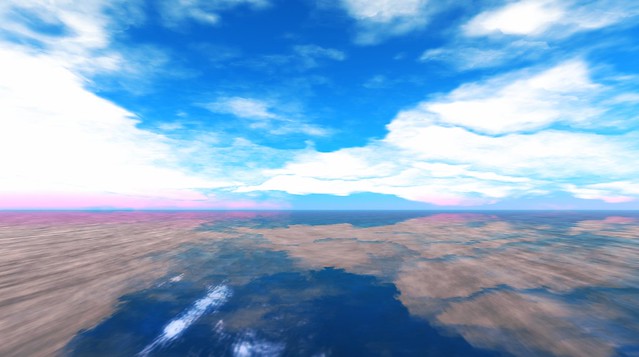
New Clouds! Cumulo-Nimbus

Default SL Clouds
Tired of looking at the same old clouds? Check out these gorgeous new clouds, first available in the Firestorm viewer over three weeks ago. I don’t use a Third Party Viewer, so I didn’t get a chance to play with them, until Ziki showed me how to get these gorgeous clouds in the official Second Life Viewer too!
Vincent Nacon created the cloud files, and has a clouds tutorial for Firestorm posted on the Second Life Forum.
If you want these files in the official Second Life viewer, just download the clouds2.tga file, and replace the existing clouds2.tga file in your Second Life folder on your computer. Read Vincent’s tutorial to get the download links for the .tga files.
Find Clouds2.tga in your Second Life folder at (or elsewhere, it depends on your computer):
C:Program Files (x86)SecondLifeViewerapp_settingswindlightclouds2.tga
After you replace the clouds2.tga file, relog. You’ll have to do this each time you want to play with a different cloud type, at least until the official viewer includes a drop-down menu for multiple cloud options.
I use the Starlight Skin by Hitomi Tiponi with my sl viewer, so maybe he can add a drop-down menu! *crosses fingers*
Are you as excited about the new clouds as I am?