/ / / /

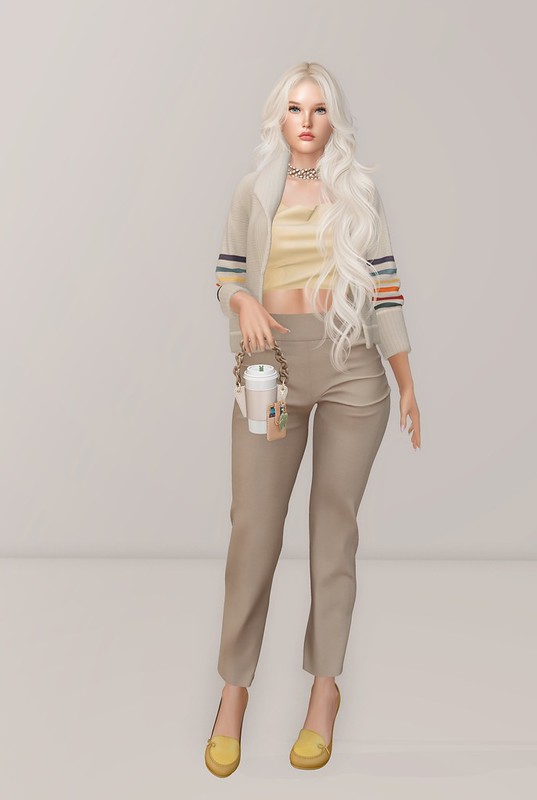
Sunday Coffee Date

Similar Posts

  • |

    Meet Cajsa

    Cajsa

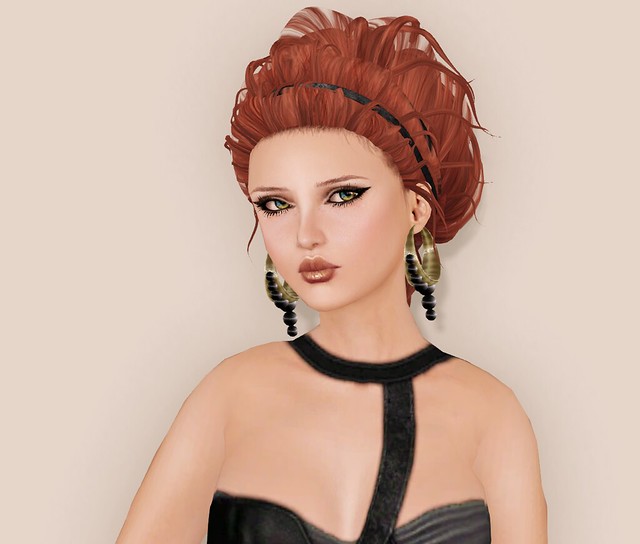
    Meet Cajsa (pronounced CAI zha (CAI as in Cairo, Zha as in Asia). I’ve said her name wrong for years, and have recently found out the correct pronunciation!

    Last week, Cajsa sent me a copy of her shape, probably cos I asked her if I could play around with it. I love tweaking shapes for my friends. Some of them have loved the results, and some did not like being Gogofied*. My usual shape tweaks includes overall body adjustments, and facial reconstruction.

    Cajsa

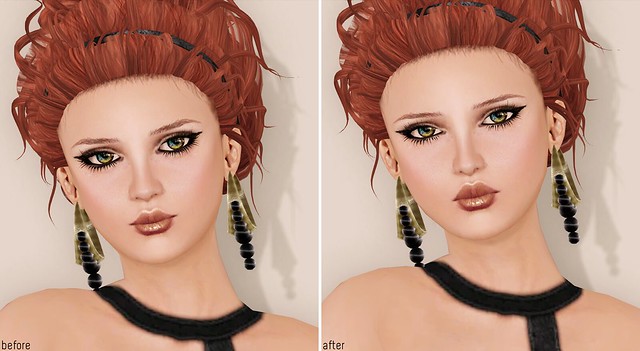
    Cajsa already had a lovely shape before, so I didn’t have to make any drastic adjustments. I modified her lips, eyes, a lil bit of the nose and face Shape. I still thinks she looks like Cajsa, and not someone else. Whenever I tweak shapes for my friends, I usually try to keep their look similar, cos I don’t want to give them a NEW face, but an updated face.

    Cajsa

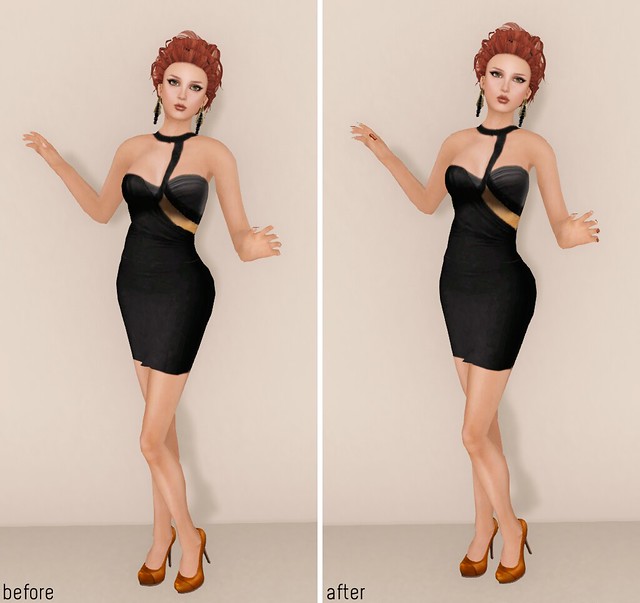
    I love the like the body tweaks cos the shape is a bit more slender, and a lil taller. Cajsa told me that the after shape works better with Standard Sizing, and she went down a size! Cajsa has a poll up at her blog and more comparison pictures of the shape, if you guys want to check it out!

    Cajsa

    I didn’t know if Cajsa would like my Gogofied version of Cajsa or not, but she does!! She’s wearing it with no adjustments (for now) but she said she might add her smile back. You can see the new shape in action on her blog (here and here).

    Shape modification is not a service that I offer, but I think it’s so fun when some friends trusts me to play around with theirs.

    *What is Gogofied? Poutier lips, and ends up looking like my twin or my sister.

    Store info at Blogging Second Life
    ****SHOPPING LIST******
    Poses:
    Skin: [PXL] KATE NAT NE MEB C1
    Makeup Tattoos: Amacci – Hide system Lashes – alpha mask
    [PXL] KATE NAT Bronze Lips Glossy (Tattoo)
    [PXL] KATE NAT Cat Eyes (Tattoo)
    Eyes: Poetic colors classic – forest morning (m) bright
    Lashes: [LeLutka]-2011 lashes/curl/touch me
    Mani/Pedi: Hand size 20 (L)/NAIL/female[MANDALA]medium
    Hair: [LeLutka]-HAIRBASE Rita
    [LeLutka]-ATHENA hair – Rita
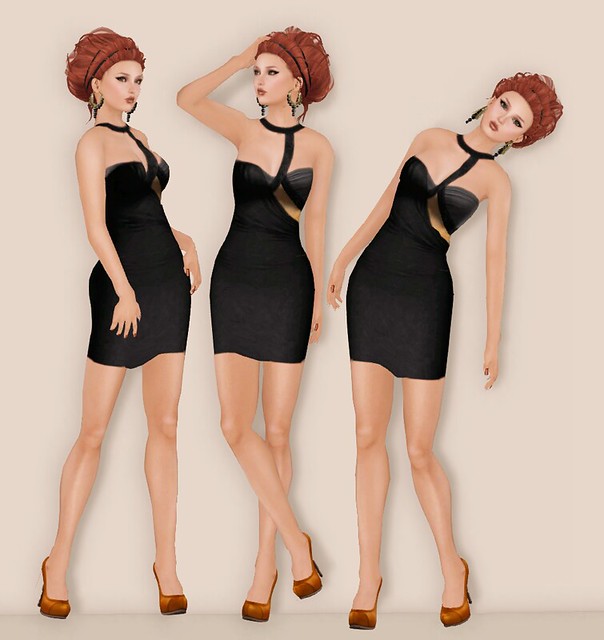
    Clothing: Kyoot – La Reine Noire Cocktail Dress Mesh Skirt Piece S and M
    Shoes: [celoe.xylia.pump.oregon
    Jewelry: +plus *Black Pearl Earring* Dark Gold

  • | |

    Glam Affair – Castalia Skin

    Glam Affair - Castalia

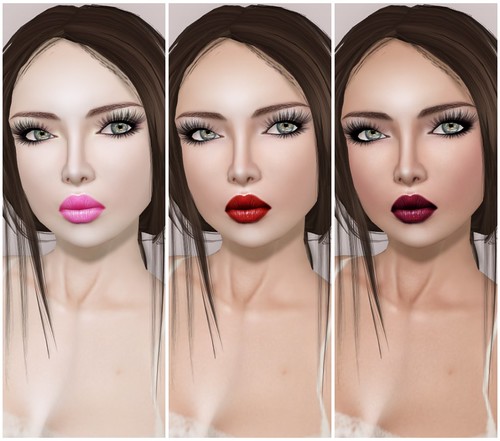
    Glam Affair – Castalia (Light | Natural | Medium Tan)

    I tried the new Glam Affair Castalia skin this past weekend and to my surprise, I really liked the Medium Tan skin tone more than the Light and Natural, which is what I would normally wear. I thought Light tone was way too pale, better suited for an RP skin (like Vampire or Goth), so I tried on the Natural tone, and still, that wasn’t really my favorite. I didn’t like the way it photographed because the tone seemed ashy with my preferred Windlight settings.  However, when I tried on the Medium Tan, I liked the skin a lot more because it was warmer and really suits the dark brows.

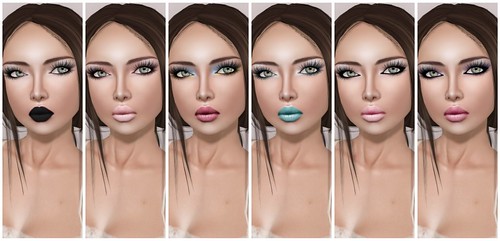
    The Castalia skins comes with 12 makeups and public hair layers (something I never use, but I suppose it’s useful….):

    Glam Affair - Castalia

    Glam Affair - Castalia

    The lipsticks are really nice on these, I kind of wish they were on tattoo layers so I can borrow some of the lipsticks for my other skins. What I didn’t like was the shadow on the lower lip. You can’t really see it too well on my pictures but in-world the shadow is very noticeable and dark. Also the highlight on the upper lip is too sharp so it looks pixelated. Am I took picky? I do notice these things even if others seem to ‘not care’ as much.

    Glam Affair - Castalia

    Overall, I think that this skin is better suited for Brunette hair colors, especially if you like a warmer tan tone.

    Visit Glam Affair

  • | | | |

    Pinky

    Pinky

    January is all about cozy vibes and bodysuits. I tried on numerous bodysuits before settling on this adorable Ramona bodysuit and matching cardi from Littlefox. Everyone seems to be embracing bodysuits this month, but the reason I chose this one over the others is because I like the cleavage, textures, and colors it offers.

    I love Rosé’s twin buns hairstyle from the APT music video. So when I saw that S-Club released the Pinky hairstyle, clearly inspired by Rosé, I immediately bought it. Although S-Club’s prices are on the higher side, at L$999 for fatpacks, I know I will wear this hairstyle frequently. If you do not opt for a fatpack at S-Club, unfortunately, you won’t get access to all of the hairstyle options or accessories.

    This week I realized that I have matured because I no longer feel rage about anything in Second Life. X (Twitter forever) is all about AI. Meanwhile, on Bluesky, Second Life residents are making lists and expressing their concerns about AI usage. There are many issues to be upset about in life, but AI is not one of them for me. You may choose to be upset if you wish, but many brands in Second Life are employing AI to edit their photos and videos. They are also utilizing AI to generate textures and sell “art” at events. While I do not necessarily endorse these practices, I recognize that I cannot control other SL residents, nor can anyone halt progress. AI is innovative and here to stay. It can be integrated into our workflow without eliciting accusations of thievery. If you choose to boycott certain brands, I suggest doing so quietly. I myself boycott several brands for various reasons, but I do not feel the need to publicize my decisions.

    Although I consider AI a fun tool to experiment with, and I have used it in the past to edit a photo or two, most of my images come directly from Second Life. It is quite evident that many skin designers are now using AI to enhance their skin advertisements. Proceed with caution, and be sure to demo everything before making a purchase.

    What are your thoughts on brands that utilize AI to enhance their product photos or sell AI-generated textures? Let me know in the comments!

    Read More “Pinky”
  • Gogo does Jewerly Fair >> Rozoregalia

    Jewelry Fair is ON! The Jewelry Fair can be found on these two sims: JewelryFair 1 and JewelryFair 2. I went last night, there are lots of gorgeous jewelry from some well-known brands and lots of new-to-me brands. I wanted to squish all of my finds into a single entry but I just have to show you these Rozoregalia items first. They're SO gorgeous!!!!!!!!

    I'll be featuring 2 items I found from Rozoregalia that caught my eye: the Vinca necklace, and the Rosenkavalier BlackHat&Hair. These items are no modify but includes a resize menu (not ideal, but you can work with it).

    ( Vinca necklace – Back & Front view)

    ( Rosenkavalier BlackHat&Hair – also includes the hat alone, so you can wear it with other hairstyles )

    I adore my Kyoot outfit, although it's very old, it was the perfect outfit to pair with the Rozoregalia items.

    What I'm Wearing:

    Kira Ahn Skins – Lilly – Pale/Brown Brows/Make Up 06
    Rozoregalia – Rosenkavalier BlackHat & Hair (darkblonde)
    Rozoregalia – VINCA necklace
    Kyoot – Dead naga Mini (Black)
    Kyoot – Snake Charmer Shirt
    J's – Goth Ribbon LaceUpBoots (Black)

  • | |

    Gone baby gone

    gone baby gone...

    gone baby gone…

    My friends, I did something hardcore. I mean, REALLY crazy…

    My whole SL is gone. I have deleted my WHOLE inventory, including everything I had built from start, customs, etc. I only kept the clothes I was wearing at the time, my AIF dogs and a few skins, and of course as many !BF! originals as possible so I can continue to sell them.

    BYE BYE INVENTORY

    Thousands and thousands of dollars worth… I was like a SL museum, I had everything from 2005. It was so precious and very dear to me.
    BUT! I had NEVER cleaned it once, and so I was now over 170K of cluttered items in no particular order. It was dragging me down, slowing my viewer and making me mad each minute.

    Sometimes starting fresh is scary. But I hope this will maybe revive my SL apetite once and for all, this on and off hiatus of mine feeling awkward, and all the bugs and crashing and blah blah…

    I wanted to share that with you all, not so that I have your pity or anything, not to make a shock, I just thought I’d say a word on my process, where I am in my life right now, RL vs SL, what will happen with elka, etc. Just like that.

    I recall a conversation I had with elka Lehane years ago, and she said that she had never deleted a single thing from her inventory. My jaw dropped. She kept everything that landed in her inventory, and ended up with 170K of items and clutter.

    When I read elka’s message on Flickr about her deleting her entire inventory, at first I was shocked, but at the same time, I really admire her for taking such a drastic step to clean up her inventory and increase her SL performance drastically.

    We’ve all heard about how having a large inventory may slow performance, and according to Linden Lab, anything over 10,000 objects is considered extremely large. My inventory hasn’t been 10,000 since my first six months in SL. Can a fashion addict/content creator keep their invy under 10K?

    Before elka deleted her inventory, she couldn’t even keep shadows on for very long without crashing. I asked her if her performance is better now, and she said that she can keep shadows on all the time now, without crashing, and even in laggy sims.

    I’m so inspired by this, I need to put more efforts into taking my 90K inventory down to below 50K. I’ve been cleaning my inventory since December 2010, and only managed to reduce it from 130K to 90K, but I think I need to move a lil faster, and be a lot more ruthless. I may or may not pull an elka!

  • AOHARU Suede Laced Up Sandals

    AOHARU has just released these gorgeous Suede Laced Up Sandals and they're super cute, they look like high heels shoes for ballerinas! I could totally dance around in these, the lace legwarmers are a nice touch, you can wear the shoe with or without them.


    [ AOHARU Suede Laced Up Sandals in Camel and Pink ]

    The shoes are great but you'll need to increase your RenderAvatarLODFactor and
    RenderVolumeLODFactor in order to view them at their best when zooming out for full-length photos. To do this, enable the ADVANCE menu buy pressing ctrl+alt+D on your keyboard; then go to the  Advanced tab -> Debug Settings, find RenderAvatarLODFactor and
    RenderVolumeLODFactor and increase them to 10 (just a guess, it worked for me, the default was 1.0).

    What I'm Wearing:

    Gala Phoenix – Radiance-Dahlia skin
    Exile – Dominique (Harlow) hair
    *MM* – Coco Bangle Bracelet
    Elate – Silvia (Chocolate) Dress
    AOHARU – SuedeLacedupSandal

Leave a Reply

Your email address will not be published. Required fields are marked *