AI

  • | | | | |

    AI Prompt for Your Second Life Photo

    Second Life Crime
    The inspiration photo – https://flic.kr/p/2rN3L3u

    I am on various social media platforms for Second Life, and I have noticed that residents on Facebook absolutely love AI. They use it constantly to enhance their photos or make videos, and they share the results without hesitation. The same can’t really be said for platforms like Twitter, where a vocal minority is always ready to pounce and tell you that using AI wastes water and that you are a terrible human for even thinking about it.

    So anyway, I was casually browsing Facebook when I stumbled across a very amusing trend. Second Life avatars being put in jail for the crime of using AI. The prompt was created and shared by a resident named Danny Fróes (idjdanny). I believe it was originally written in Portuguese, but Facebook translated it to English for me.

    Copy this prompt into ChatGPT (or any AI image generation site) with a reference photo:

    Using the provided image as a face reference, create a close-up, photorealistic 8K HDR portrait of this woman, portrayed in a classic mugshot. The crime and the mugshot should correspond to the aesthetics and personality you perceive in the picture provided. The woman has voluminous, wild, messy hair. Your makeup complements your personality and aesthetic. The woman is looking straight at the camera in a confident, rebellious, challenging or fun pose. The mugshot should include your name and the crime she committed. Your name is: [Your Name]. Crime Using AI in Second life 01/05/2026 Do not alter your face or your deeds.

    You can use Google Gemini, ChatGPT, Grok, and others to get some pretty amusing results. Some services produce more realistic images than others, but I preferred ChatGPT for photos because it did a great job of keeping the final image looking similar to my avatar’s reference photo.

    Try the prompt and show me how your photo turned out!

  • | | | | | |

    Enhancing Second Life photo with Krea.ai, part 2

    Enhancing Second Life photo with Krea.ai, part 2

    Blog readers always ask me for tips on enhancing Second Life photos with AI tools, and honestly I don’t think I’m very good at it. Still, I decided to dive back into Krea.ai and see if I could enhance my avatar with ultra realistic hair and skin texture. I’ve tried a few other AI tools, but I personally think Krea is the easiest.

    Have you ever seen a Second Life ad where the face looks almost real and the hair texture is so good that it can’t be Second Life? That is usually AI enhancement. It can be deceiving, even when people say the product is untouched. Once you add AI, your eyes get tricked and the product does look slightly better.

    Don’t get me wrong, I think Second Life has come a long way. My avatar has never looked better to me, but I rezzed into system hair and system clothes back in the day, and I think I was even wearing system skin. So maybe my idea of amazing is a little skewed, but I also think Second Life avatars have peaked. Can we even get any better?

    Enhancing Second Life photo with Krea.ai, part 2

    I don’t know what process or tools other people are using, but I think the easiest way to add detail is to enhance with an AI tool and then blend the two photos in Photoshop. You don’t have to keep the entire AI generation, just blend enough so it still looks like your avatar.

    AI tools are still too expensive. I like to play around with video generation and I can burn through a month of credits in an hour. I paid $10 a month to test different models in Krea, but you can use the free version too.

    Even if you don’t love the deception of AI, it’s here to stay. I’m not encouraging anybody to do this, but I wanted to share since so many people have asked me for tips.

  • | | | |

    Enhancing Second Life photo with Krea.ai

    Enhancing Second Life photo with Krea.ai

    It’s the second day of Blackout August and since I’m not shopping, I decided to revisit enhancing Second Life photos with Krea.ai. Lately, vendor ads in SL are full of unrealistic hair, faces, and clothing that don’t actually exist in-world. I don’t know what tools other people are using, but out of everything I’ve tried, Krea.ai has been one of the easiest and probably the most beginner-friendly.

    Like most AI tools, the free version of Krea has some limitations. You won’t get full customization or the highest quality images unless you upgrade, but I’m using the free version for this.

    Krea.ai

    To enhance your SL photo, make sure you use the Enhancer tool. If you use the Image tool, it tends to change things too much and doesn’t look like your original. Once I upload my photo into the Enhancer, I can adjust the sliders on the right to tweak the AI strength, resemblance, clarity, and more. The paid version gives you more range, but the free version is still workable.

    Personally, I don’t love the full Krea output on its own, so I save the enhanced image and overlay it with my original SL photo in Photoshop. Then I blend them together. Sometimes I just blend the hair, or just the face, or whatever needs a boost. My final result looks really polished and still about 80 percent true to Second Life.

    One note of caution—some brands will ban you for using AI editing in your photos. I think it’s a tool like any other, but use it with intention.

    Let me know in the comments if you’ve been playing with AI editing and which apps are your go-to.

    Enhancing Second Life photo with Krea.ai
    Style credits: November 2024 blog post
  • | | | | | | |

    Sillywood

    Sillywood
    Photo taken with JuicyBomb – Autumn Skies EEP Settings

    Hello from the sandy shores of Sillywood! This adorable little beach and boardwalk spot is the absolute best for a casual walk or snagging some great pics for your blog. I’ve got a thing for beachy scenes in Second Life, and boardwalks? Yes, please!

    Sillywood

    So today, I started to tidying up my inventory a bit (I didn’t get very far), but I did find lots of cute items that I bought recently. I decided to mix and match some of my faves from last month with a few fresh finds from this weekend’s sales events. This Mattie Long Sweater Dress from Ison is everything! The color choices are fab, and it’s comes with two HUDs that lets you switch up the under shirt or sweater colors. And these Worn Block Sneakers Stickers Edt. by Semller? Utterly adorable and a steal during the sale.

    Read More “Sillywood”
  • | | | | | |

    AI Photo Editing and Second Life

    Sparkle Skye - Butterfly Hair Sticks

    Whether you’re a fan or not, AI photo editing isn’t going anywhere! For a long time, residents have been using photo editing apps to make their Second Life pictures look better than what’s attainable in-world by adding real hair, big smiles, and rendered bodies. Now, with AI making photo editing super easy, lots of Second Life brands are using it to help show off and sell their stuff.

    Ads in Second Life are stepping up their game with AI. More and more skin ads now feature incredibly lifelike hair that surpasses what’s available in-world. It’s becoming a challenge to pinpoint where the AI effects begin or end in these ads—they’re that good at blending in. Clothing brands have showcased their apparel on 3D-generated models for a while, but nowadays, some are switching to AI-crafted models to ramp up the appeal of their clothes, although they might not look the same once you get them in-world.

    Personally, I enjoy experimenting with Stable Diffusion, a generative AI photo app. These apps evolve so quickly; if you blink, you might miss an update. Models I used just a while back are no longer the best choices. AI still isn’t perfect—it can mess up hands and feet—but it’s improving rapidly.

    Read More “AI Photo Editing and Second Life”
  • | | | | | |

    Hair Fair 2023

    Hair Fair '23
    Hair from Monso & Exile at Hair Fair

    Hair Fair is now open! From now until July 2nd, I encourage you to only buy and wear hair sold at Hair Fair. Some of the best hair and accessories designers have generously donated their talents & time to benefit the Wigs for Kids charity. View the view the shopping guide and let’s get shopping!

    Hair Fair '23
    Second Life + Stable Diffusion photo merge

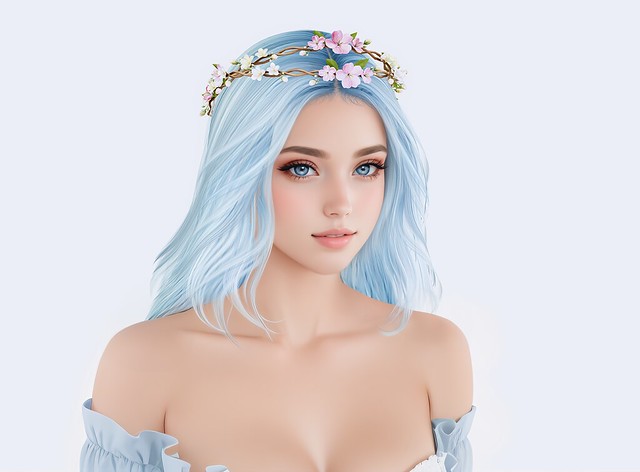
    My friend Sparkle made her hair accessories debut at Hair Fair. These sweet Blossom Hair Wreaths include single or double garland options and four band colors. Teleport to the Sparkle Skye booth and find a crown to go with your new hair!

    Read More “Hair Fair 2023”
  • | | | | | | | | |

    Previously in Second Life

    Another SL Glow Up
    My Second Life Avatar + Stable Diffusion

    Welcome to another Previously in Second Life post! Here are some interesting news around the grid you may have missed:

    Read More “Previously in Second Life”
  • | | | |

    How to Install Stable Diffusion Locally

    Stable Diffusion + Adobe Generative Fill
    Image created with Stable Diffusion + Adobe Generative Fill

    Adobe’s new Generative Fill feature in Photoshop (beta) is a game changer! You need to Google it right now and be amazed at all of the creative uses. I’ve been playing around with it all week by adding accessories to my Second Life avatar, changing the background in my photos, and expanding missing portions of a cropped image. The best thing about Adobe Generative Fill is that you can leave it blank and let AI figure out how to fill in the missing pixels.

    Read More “How to Install Stable Diffusion Locally”