
Truth – Lucia (color-changeable hair band) | Teshan
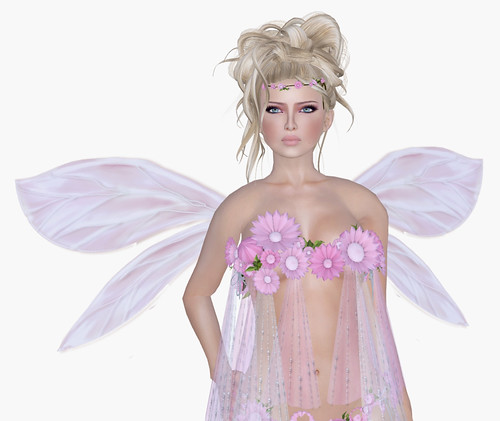
Hello SL! I downloaded the latest SL Mesh Dev Viewer just to use the depth of field feature that was available a few months ago. Right away, I noticed that they have added a radio button to toggle DoF on/off, so that’s awesome. I looooooove DoF, but for some reason ALL SL viewers have been crashing me tons lately, ughhh. I had to shoot these images smaller resolutions (about 1100 x 1000px) to avoid the dreaded “line” going through my images, but as you can see, DoF is pretty amazing.
*Important tip: If you install the Mesh Dev Viewer, be sure to select the correct grid before logging in. Ctrl+Shift+G (to bring up the Grid Selections) and you want to select AGNI (main grid) and not any of the other beta grids.
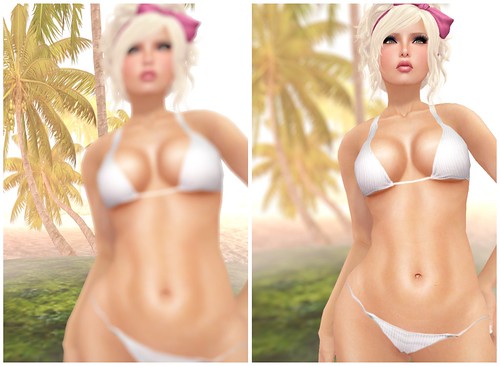
(Raw shots from SL – focusing background and foreground, very easy!)
People who are good with Photoshop can do these effects on their own, but if you’re totally lazy like me, the built-in DoF feature is the perfect choice. I am crossing my fingers that this will be released on the official client soon. At this point, I would even trade Avatar Physics for DoF, as I think it will be more useful to me, for fashion photography.
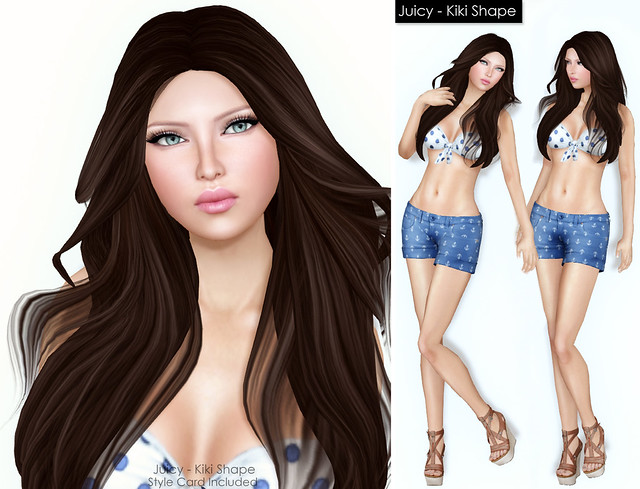
Ohhhhhh, and check out new Truth hair! So adorable this week; perfectly girlie, just the way I like it.
What I’m Wearing:
Laqroki – Linnea (Fair) Light Brows – 03
BOOM – Infinity Pin Stripe Bikini (White)






It seems to be a pity that there is just an .exe file and nothing for mac users… I think this option of ‘blur’ is really fantastic. Its not soooo easy to make a clear blur around an avatar with ps.
I know this is off topic, but I would love for you to do a tutorial on how to wear hair. I can use Truth hair well, but other brands don’t fit me – the long hair sinks into my chest or the shapes stick out, etc. I have your Amanda shape, but changed the head and face a lot. I made the head a lot bigger because the head was so teeny. Is that the key? changing the size of your avi’s head so the hair will look pretty? If so, should hair designers include style cards with head sizes that fit? I’m into realistic as possible, which is why I like your blog, so it’s hard for me to make my avi’s head too small for a brain to fit inside. lol
Hi Cheryl! I think that, pretty much any “shoulder length” hairstyle will be an issue, unless it has a second attachment for spine that doesn’t move. When I take photos wearing long hair, I spend soo much time searching for a pose that’s friendly with long hair, but as soon as I start moving again? It’s in my shoulders :X I guess there’s no way around it (for now), unless we get flexible sculpts.
Truth just released a hair which is called “Cecilia”. This new hair makes your head not move and does not go into your chest, so no more problems with that! So far i´ve only seen this on only this hair in the Truth store. I hope they come out with more!
Here is a link so you can see what the hair looks like ->
https://d1ij7zv8zivhs3.cloudfront.net/assets/3592892/lightbox/TRUTH%20Cecilia.jpg?1305931888
Kristen’s viewer has DoF
OMG that line going through my photos kills me, I honestly thought I was doing something really wrong. I wish there was a fix for this! Even though I am a strict SL 2.0+ beta user, I take all Shadowed/Blur Photos through Kirstens (line is still there with higher resolution)
but I do not crash as much. I seem to only receive it when I am in shadow mode, ugh. For now its only solved by crop, or the little band aid in photo shop elements, but I know it’s there! lol
But you still have beautiful pic’s, high or low resolution 😉
Yeah, for some reason I’ve been crashing a ton myself… and its sadly comforting that I’m not the only one who gets “the line” in photos. I’ll def have to check the beta out, thanks for the tip!
It’s definitely not just you! I’ve been getting the line for a long time on and off, and even though I thought it was my poor hardware, I’m beginning to think that perhaps the SL client just plain sucks for snapshots.
gogo, on hardware set the antialiasing at 0x… well thats the problem on my SL… if i make at 8x is crash me badly but at 0x i have no problem 😀
mabye is that or mabye not
But without anti-alias, isn’t your image, um, jagged? I’m not good with Photoshop, so I don’t know how to fix it!
I was just looking at your previous post on DoF the other day, so thanks for the little update! I`m totally lazy, too. :/
Hair looks great. Wasn`t tempted by the vendor shots, but now I see it in my colour I`m gonna have to take the hit to my L balance >.<
I have been trying to do DoF for awhile, but no matter how high I put my graphics and how much anti aliasing I do, my avatar still has really jagged edges. Any ideas about this? You look stunning in these photos!
According to me, it depends of your graphic card. SL is unfriendly with ATI cards (and any old cards too), shadows are impossible with anti-aliasing. I suggest to upgrade to a recent Nvidia GC… There are no official informations about this issue though, because the viewers are compatible with any grahic cards, only a few features are not. <_<
I have an NVidia GTX 570 now, which is not “the latest” but it is pretty recent, it’s not even listed on the LL website yet.
The GTX 570 is really recent and is the most powerful of its series ^^
I am having the same issues. I don’t believe I have bad graphics. I am not sure what I am suppose to do. 🙁
Is anyone having probs with black streaks in the hair with shadows enabled? Help! lol
I tried the Project Viewer but I didn’t even last 1 minute on it. Kept crashing me if I even touched the graphic settings. Beta just wouldn’t let me put shadows on at all…. so back to 2.6 I go, shadows work there, so I guess my DOF will have to be my PS skills! Haha
(ps: I’ve added you to my blogroll also, hope thats ok!)
Crys
http://sleyecandy.tumblr.com/