I’ve been swamped with remodeling a quarter of Juicy, so now the entire sim is commercial. It’s mostly filled, but we’re still adding shops daily as time and space permits. Some shops that have recently moved in: Babylon Designs, Republik, Embellished, SpeXx, Fetch Alternative, Milk Motion, and House of Heart! Be sure to visit for some great shopping! <3

Similar Posts
- Fashion | Hair | Uncategorized
Truth is, I’m a Hucci
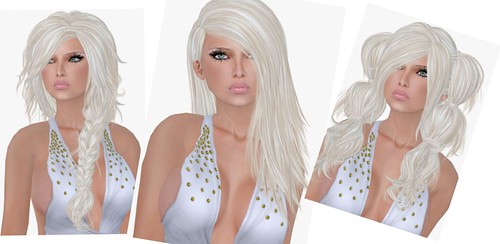
Truth – Darla | Larissa | Eloise (in Swedish Blonde)
These three new hairstyles from Truth are stunning, and of course I’m wearing my favorite Swedish Blonde. I get lots of Google searches to my site for “swedish blonde” and I hope they’re not disappointed when they get here! Hi guys, I’m not actually from Sweden but my avatar is Blonde and wearing the fabulous Swedish color *waves*!
I instantly knew I would love Larissa, cos the style is so sleek and sexy. I’m pairing it with my Hucci-mama Gold Rain Jumpsuit! Eboni Khan is fast becoming one of my favorite casual wear stores, cos she really designs for girls who are not afraid to embrace their inner Hucci. I prefer booty shorts and low cut tops to pants and a proper shirt, but you guys already know that if you follow my blog! It doesn’t have to be skanky if your avatar doesn’t look dirrrty.
Laqroki Phoebe Glow Skins

Whoa…… hot! Laqroki has just released 6 new glow skins, one of them is a remake of the original Phoebe skins. I looove it sooo much!! Phoebe (Glow) has 8 makeups & includes a hair base version. This is one of my favorite faces ever, it’s so sweet and realistic.
Here are all 8 Phoebe makeups, I’m wearing the Peach skin tone:


Phoebe (Glow) is definitely an upgrade from the original Phoebe. The original skin only came in one skin tone, it was very light and cute but the new Phoebe (Glow) skins comes in 3 skin tones and have more makeups.

( Laqroki – Phoebe [Fair] old & new face )
( Laqroki – Phoebe [Fair] old & new body )
The upgrades are so yum, I think you will find a new favorite amongst the newly released skins. They’re
SUCH a great deal at $1,990L per fatpack.

Visit Laqroki

Blacklisted released some new lingerie sets, I’m wearing the Cornbead, Be Starin’ and Lonely Soldier prints above. These lingerie sets includes matching thigh high socks (not shown).
Visit Blacklisted
- Bento | Hair | Second Life | Shoes | Skins | Uncategorized
Elle as a Fashionista Elf

Thoughtful Elf Elle the Elf – has a nice ring to it, eh? I used to Role Play quite a bit of Second Life before my long hiatus. As of late, I have thought about dipping my toe back into the Role Play pool. But this time I want it to be ultra fantasy – high fantasy even. I want to immerse myself in a world of elves, faes, magical beings, etc, and so on. You might wonder, where did all this elven inspiration come from? Well, my friends, it came in the form of the somewhat off-beat Lelutka release knowns as “Prim”.
Read More “Elle as a Fashionista Elf” - Bellisseria | Brands | Fashion | iheartslFeed | JuicyBomb | Second Life | Uncategorized
Sun Catcher
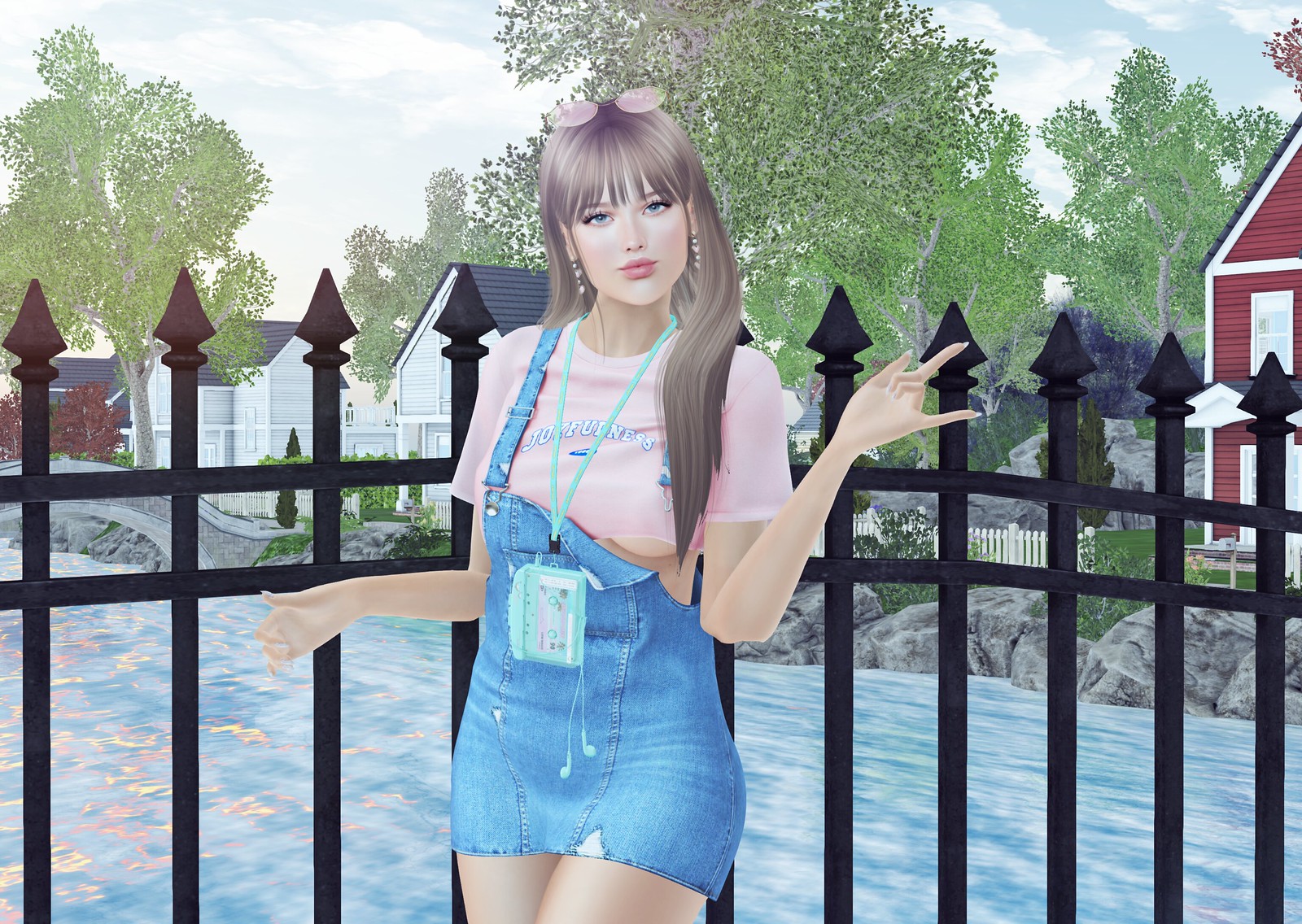
The ’80s is back, baby! I went to Sanarae to get this Sun Catcher outfit from Amitomo. A billion plays later, I won everything from this gacha machine. The overalls comes with a HUD to change the color/texture of the t-shirt.
I’m walking around to see some soon-to-be released Bellisseria sims. I sold the mainland beach so I could get another Linden Home without upgrading my tier. I think I want a home on a mountain… which isn’t usually my style, but at least it’s different!
Read More “Sun Catcher” Dear Gogo, how do I make my own fashion feed?
A couple of people have asked me if setting up a syndicated feed is "easy" and I will say that it's not easy if you're not familiar with setting up your own WordPress blog but it's easy enough that I can do it!! This tutorial is a brief overview of how I do it, this is not the only way to set up a feed, but it works.
What you need to set up a feed:
1. A domain name.
You can buy a domain name at any reputable domain name registrar or register one as part of a hosting package deal. Many hosts now offers a "free domain name" with some type of hosting plan.
2. Select a hosting company (for your domain).
I went with BlueHost because they offer unlimited disk storage, gigs of site transfer (really important if you're running a feed), and a lot of other scripts that you'll need to set up the site. The cost of running a feed is minimal compared to the time that you will be dedicating to maintaining it. If you can afford hosting for 1 blog site, you can afford hosting for a 'feed' site.
3. Install WordPress.
WordPress installation is very easy. Most hosting companies now make it easier than ever to install WordPress, and other popular scripts to make your life easier! With BlueHost, I was able to set it all up without ever needing to upload the files on my own.
One thing that I think might be tricky for people who haven't done this before is setting up the MySQL database. But, anything you don't know how to do, you should refer to the Help section of hosting company or use google!!
4. Install the FeedWordPress plug-in by RadGeek.
Everyone that is running a feed on WordPress uses this plug-in to syndicate other websites.
How long will this take?
Assuming that you already have the domain + hosting all set up, it will take less than an hour to set up the feed.
Helpful hints….
– Find a WordPress theme with a wide blog column.
– Make sure your links are pointing back to the original source of the post and turn off comments on syndicated posts.
– When things break, use Google (the answer is out there, really!!)
– Don't use your feed to punish others.
If you haven't been to Avanista.com, it is a syndicated feed that I've set up using all the scripts mentioned above.
I hope this helps point you to the right direction, if you're planning on setting up a feed using WordPress. There are other, more powerful scripts out there (such as PlanetPlanet) but I can't help you with those since I don't have a clue how to install them 😀
Feel free to send me questions if you need help! I'll answer them if I know what you're talking about.

(The picture above has nothing to do with this tutorial, but I'm in a beachy mood today.)
Looks fantastic^^ I haven’t been to the sim in awhile, I’ll have to come visit.